Infotainment System
Radio Controls without Touchscreen
In this manual: Infotainment System
~1min read
The infotainment system is operated by using the pushbuttons, multifunction knobs, and menus shown on the display.
Turning the System On or Off
 /VOL (Power/Volume): Press to turn
the radio on and off.
Automatic Switch-Off
If the infotainment system has been turned on after the ignition is turned off, the system will turn off automatically after 10 minutes.
Volume Control
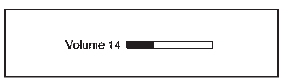
 /VOL (Power/Volume): Turn to adjust
the volume.
 (Phone/Mute): Press to activate OnStar.
See OnStar Overview on page 14-1.
Press and hold to mute the infotainment system. Press again or turn the  /VOL knob to cancel mute.
Test yourself
A quick Chevrolet Spark quiz: every answer comes with an explanation and a link to the manual page.
Was this page helpful?