Instruments and Controls
Driver Information Center (DIC) (Base and Middle Level)
In this manual: Instruments and Controls
~1min read
DIC displays are shown in the center of the instrument cluster in the information application. Refer to Instrument Cluster (Base and Middle Level) or Instrument Cluster (Upper Level). The displays show the status of many vehicle systems. The DIC controls are located on the right side of the steering wheel.
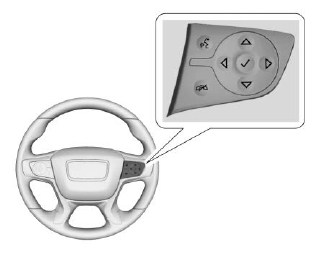
 or
 : Press to move up or down the list.
 or
 : Press to move between the interactive display areas in the cluster.
 : Press to open the menu or select a menu item. Press and hold to reset values on certain screens.
Test yourself
A quick GMC Terrain quiz: every answer comes with an explanation and a link to the manual page.
Was this page helpful?