Features
Display Setup
In this manual: Features
~1min read
You can change the brightness or color theme of the audio/information screen.
Changing the Screen Brightness
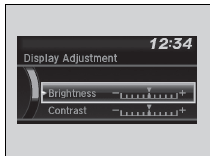
1. Press the MENU/CLOCK button.
2. Rotate  to select Settings, then press
 .
3. Rotate  to select Display Adjustment, then press
 .
4. Rotate to select Brightness, then press
 .
5. Rotate  to adjust the setting, then press
 .
Changing the Screen’s Color Theme
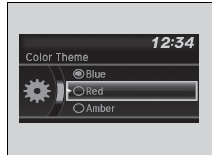
1. Press the MENU/CLOCK button.
2. Rotate  to select Settings, then press
 .
3. Rotate  to select Color Theme, then press
 .
4. Rotate  to select the setting you want, then press
 .
Changing the Screen Brightness
You can change the Contrast and Black level settings in the same manner.
Test yourself
A quick Honda Civic quiz: every answer comes with an explanation and a link to the manual page.
Was this page helpful?