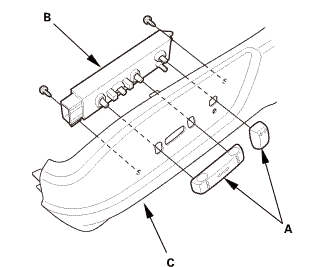
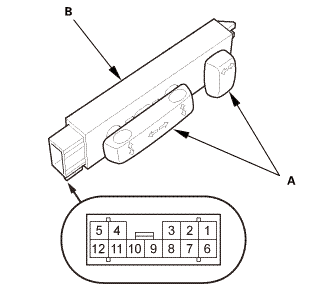
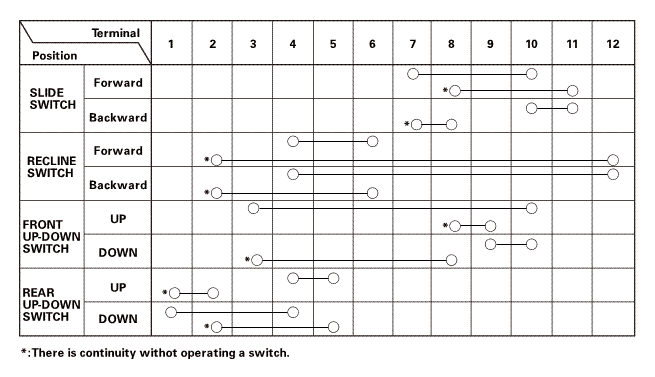
Check for continuity between the terminals in each switch position according to the table.
3.
If the continuity is not as specified, replace the power seat adjustment switch.
Installation
SRS components are located in this area. Review the SRS component locations and the precautions and procedures before doing repairs or service.
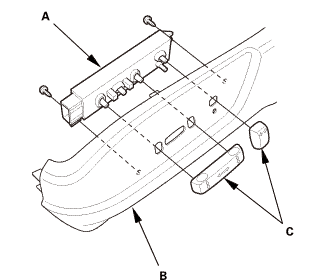
Power Seat Adjustment Switch - Driver's Side
1.
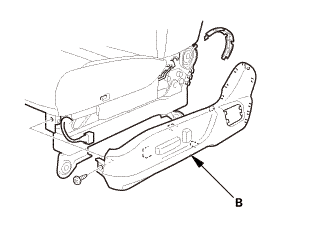
Install the power seat adjustment switch (A) to the recline cover (B).
2.
Install the power seat adjustment switch knobs (C).
Front Seat Recline Cover - Driver's Side
Power seat
Manual seat
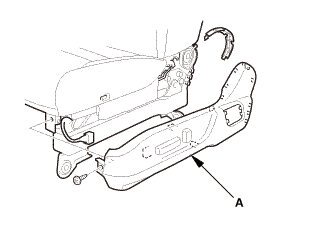
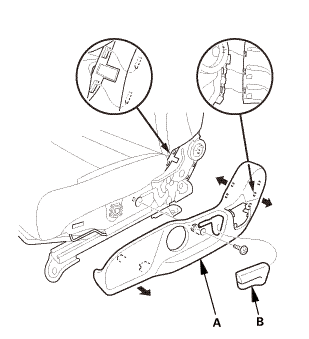
1.
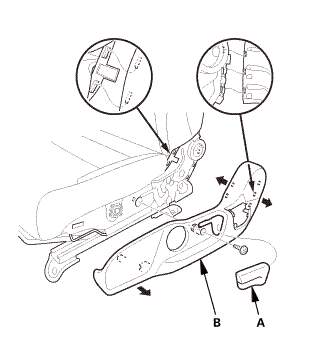
Install the recline cover (A).
2.
Manual seat: Install the recline knob (B).
Front Seat - Driver's Side
Power seat
Manual seat
1.
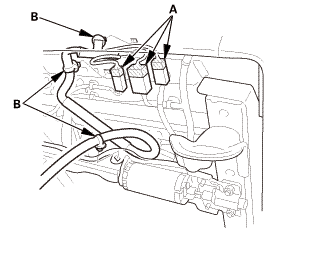
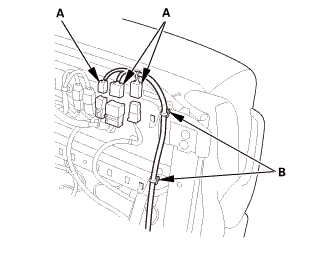
Connect the connectors (A).
2.
Install the clips (B).
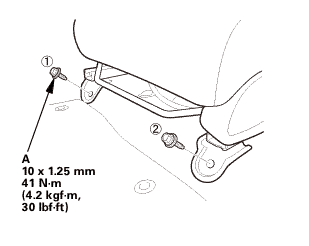
Front side
mmu....in
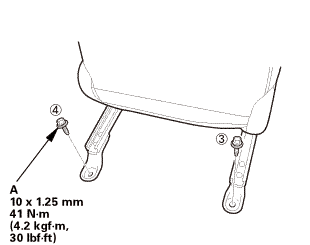
Rear side
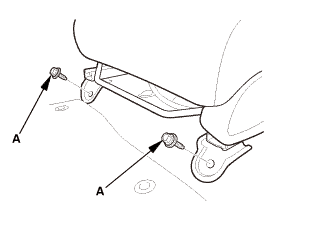
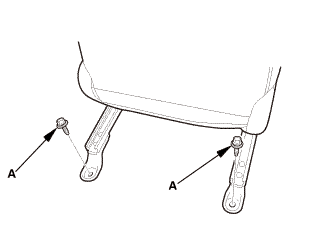
3.
Install the seat mounting bolts (A).
NOTE:
Tighten the bolts by hand first, then tighten them to the specified torque.
Tighten the seat mounting bolts to the specified torque in the sequence shown. Slide the seat all the way back and tighten 1 and 2, then slide it forward and tighten 3 and 4.
4.
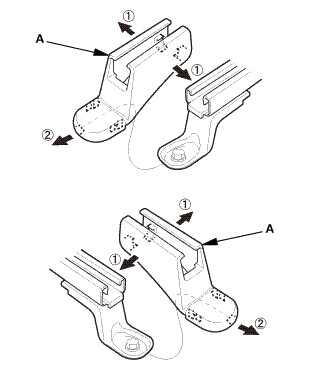
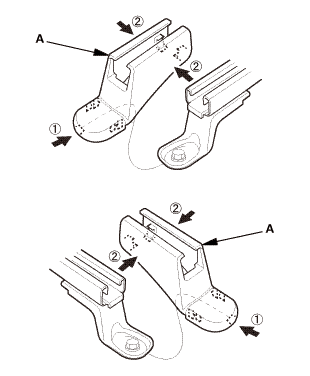
Install both seat track end covers (A).
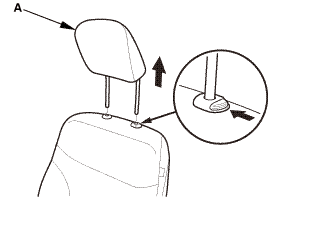
Head Restraint
1.
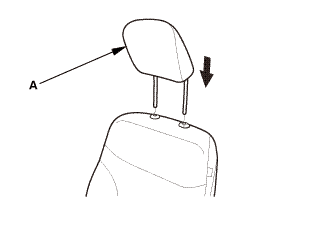
Install the headrest restraint (A).
Front Seat Belt Lower Anchor Bolt - Driver's Side
2-door
1.
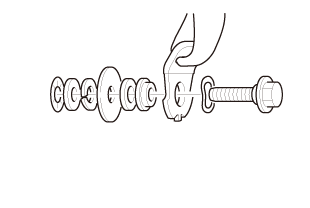
Assemble the washer, the collar, and the bushing on the lower anchor bolt as shown.
NOTE: Apply medium strength liquid thread lock to the lower anchor bolt before reinstallation.
2.
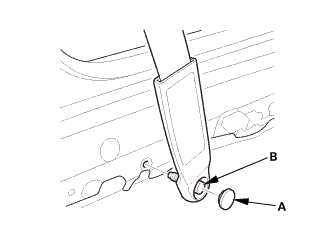
Install the lower anchor bolt (A).
3.
Install the anchor cover (B).
nmimm
4-door
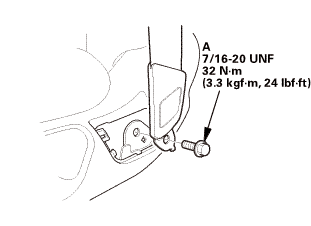
1.
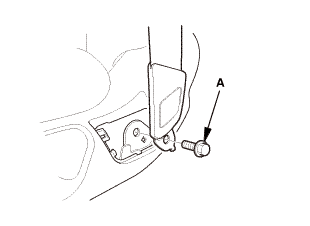
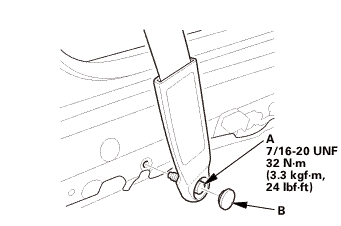
Install the lower anchor bolt (A).
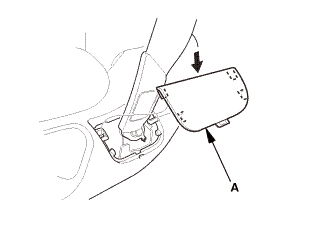
2.
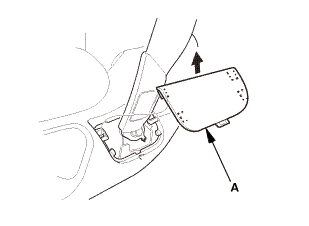
Install the anchor cover (A).
Battery Terminal (SRS) - Reconnection
(o.2ao.sam.
NOTE: If the battery performs abnormally, test the battery.
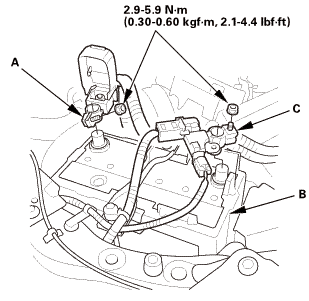
1.
Clean the battery terminals.
2.
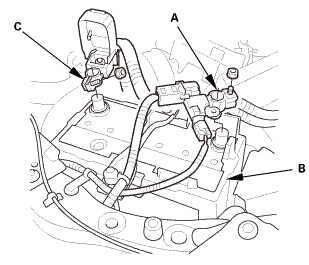
Connect the positive cable (A) to the battery (B).
NOTE: Always connect the positive side first.
3.
Connect the negative cable and battery sensor (C) to the battery.
4.
Apply multipurpose grease to the terminals to prevent corrosion.
?
Test yourself
A quick Honda Civic quiz: every answer comes with an explanation and a link to the manual page.

 Test
 infavwudsun:fnvwlvdswncnfronynnwuiscanlinuilywilhal

 mmu....in

 nmimm
 (o.2ao.sam.