Utility Group
The Utility group displays information related to vehicle driving conditions, including fuel economy and trip distance information.
Useful Items
Supplementary items are also displayed in the Utility mode, Driving Assist mode, and Step-by-step view mode. Useful items in the Utility view mode are displayed in the center of the instrument cluster, but items in other modes are displayed on the right side of the instrument cluster.
The information provided may vary depending on which features apply to your vehicle.
Driving Information
Trip distance for each ignition cycle, fuel economy (non-displayed item in fuel economy: driving speed), and driving time are shown. Press and hold the OK button to initialize the setting. When the engine has been off for 4 hours or longer, the average fuel economy will be reset automatically.
Refuel Information
Vehicle information, such as trip distance, fuel economy (non-displayed item in fuel economy: driving speed), and driving time, is displayed after refueling. Press and hold the OK button to initialize the setting.
Accumulated Information
Vehicle information, such as trip distance, fuel economy (non-displayed item in fuel economy: driving speed), and driving time, is displayed after manual initialization.
Digital Speedometer
It shows the current vehicle speed.
Total Idle Stop Time
This mode displays the accumulated time on ISG-equipped vehicles.
Driver Attention Warning System status display. When the engine is turned off or the vehicle is stopped, the system is reset. Press and hold the OK button to initialize the setting.
Driver Assistance Group
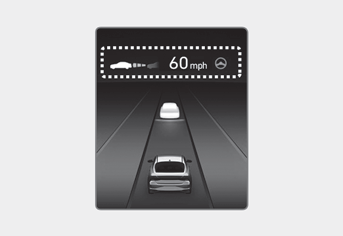
SCC/LFA/HDA
This group displays the status of Smart Cruise Control, Lane Following Assist, and Highway Driving Assist.
Navigation Group
It shows information by interacting with the navigation system.
Driving Information Group
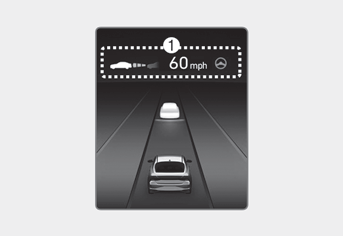
Driving Information Summary (1)
Current operating conditions of Cruise Control mode, Smart Cruise Control, and Highway Driving Assist modes.
Cruise Control and Highway Driving Assist supplementary modes.
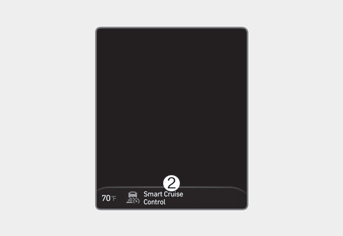
Driving Information Summary (2)
Current operating conditions of Cruise Control mode, Smart Cruise Control, and Highway Driving Assist modes.
Warning Message Group
When a warning message illuminates or appears, check the detailed information in the Warning Message group.
Test yourself
A quick Hyundai Elantra CN7 quiz: every answer comes with an explanation and a link to the manual page.