Body Electrical System
AVN (Audio Video Navigation) Head Unit Repair Procedures
In this manual: Body Electrical System
10steps
~60min
4/5difficulty
Done 0 of 10
Removal
- Disconnect the negative (-) battery terminal.
- Remove the center panel. (Refer to Body - "Center Panel")
- Remove the crash pad garnish. (Refer to Body - Crash Pad Garnish Assembly)
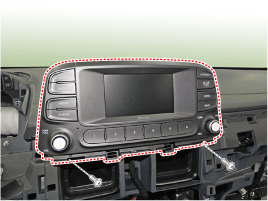
- Remove the AVN head unit after loosening the mounting bolts.
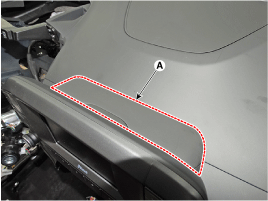
- Remove the audio system upper cover (A).
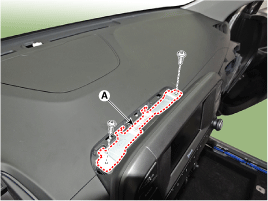
- Remove the audio system mounting bracket (A).
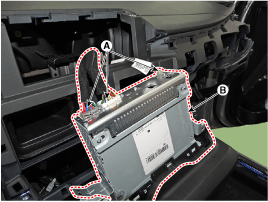
- Remove the AVN head unit (B) after disconnecting the connectors and cables (A).
Installation
- Install the AVN head unit after connecting the connectors and cable of the AVN head unit.
- Install the center fascia panel.
- Connect the negative (-) battery terminal.
Test yourself
A quick Hyundai Kona quiz: every answer comes with an explanation and a link to the manual page.
Was this page helpful?