User Settings Mode
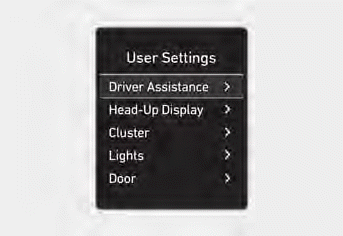
This mode allows you to change the settings of the instrument cluster, doors, lamps, etc.
1. Driver Assistance
2. Head-Up Display
3. Cluster
4. Light
5. Door
6. Convenience
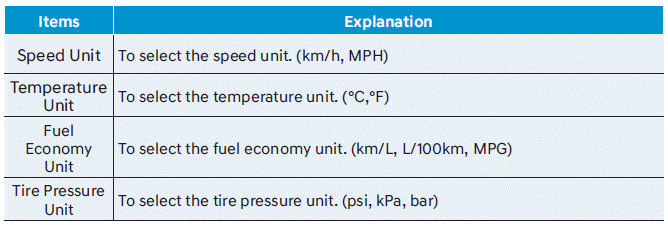
7. Units
The information provided may differ depending on which features are applicable to your vehicle.
Shift to P to change settings
This warning message appears if you try to select an item in the user settings mode while driving.
- Automatic Transmission / Dual Clutch Transmission
For safety, change the user settings after parking the vehicle by applying the parking brake and shifting the shift lever to P (Park).
Quick Guide (Help)
This mode provides quick guides for the systems in the User Settings mode.
Select an item, then press and hold the OK button.
For more details on each system, refer to this owner's manual.
Information
When the infotainment system is in use, only the user settings mode on the infotainment system is supported. The user settings mode on the instrument cluster is not supported.
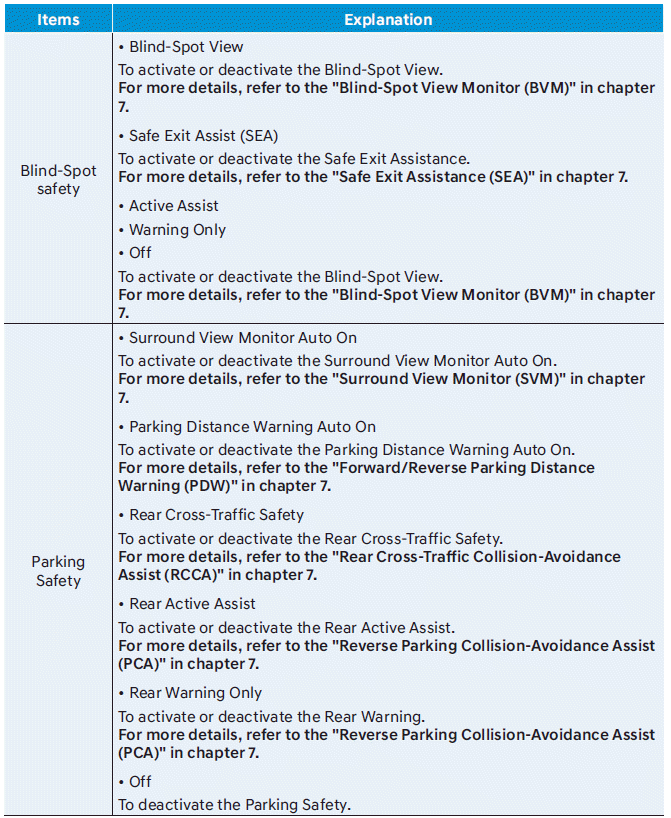
1. Driver Assistance

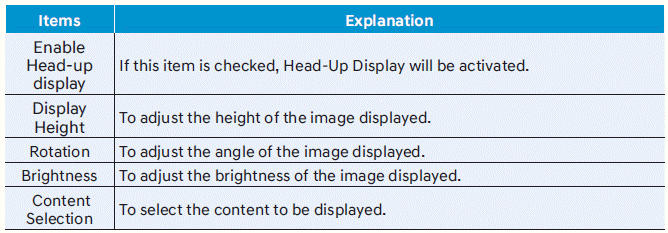
2. Head-Up Display
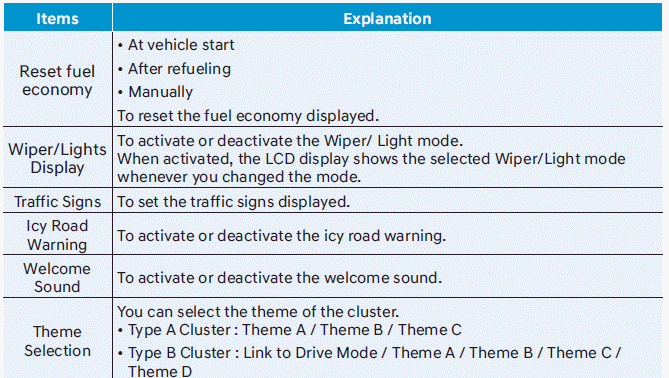
3. Cluster
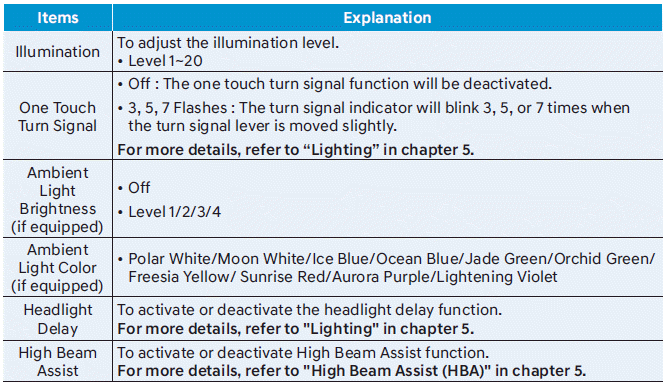
4. Lights
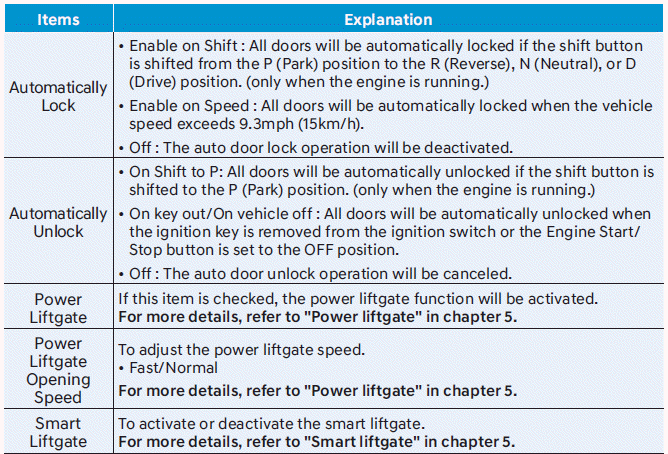
5. Door
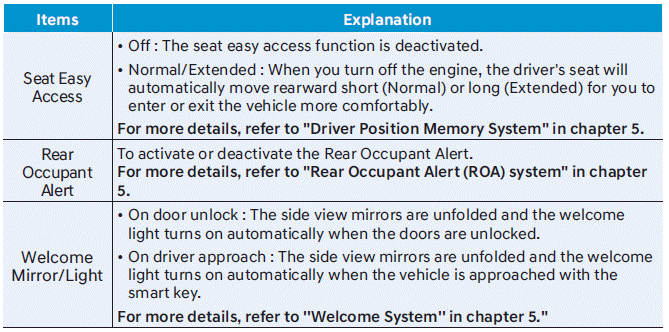
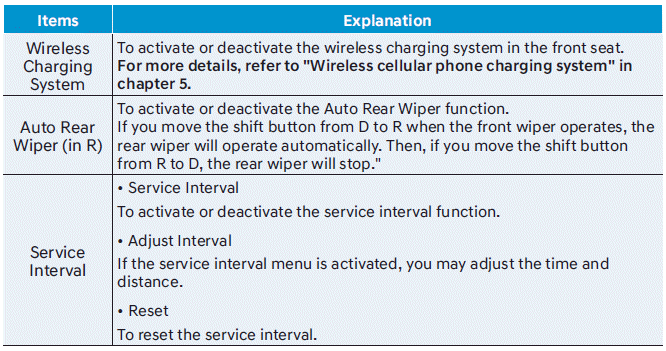
6. Convenience
7. Units
Test yourself
A quick Hyundai Santa Fe quiz: every answer comes with an explanation and a link to the manual page.