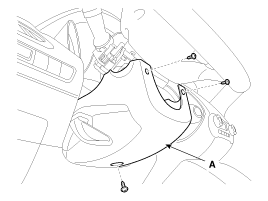
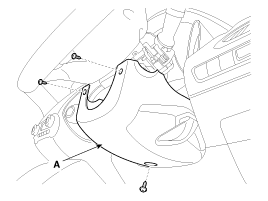
Remove the upper and lower steering column covers (A) by removing the 3 screws. [LHD][Right-hand drive]
Be careful not to damage or scratch the covers and related parts. Be careful not to damage the hooks when removing the upper and lower covers.
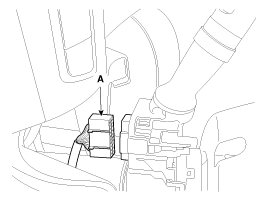
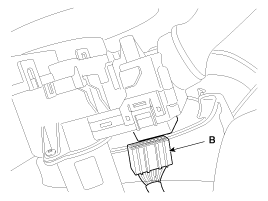
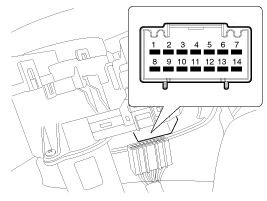
Disconnect the light switch connector (A) and the wiper switch connector (B).
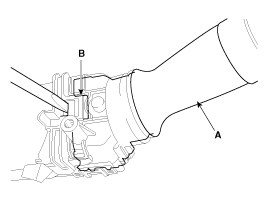
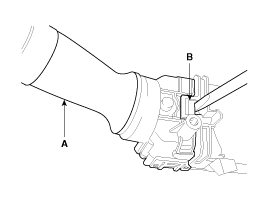
Remove the wiper switch (A) by pressing the stopper pin (B).
When removing only the wiper and washer switch, unlock the wiper switch lock without removing the steering wheel.
[Left-hand drive][Right-hand drive]
Remove the steering wheel. (Refer to ST group - "Steering Column and Shaft")
Remove the clock spring. (Refer to RT group - "Airbag Module")
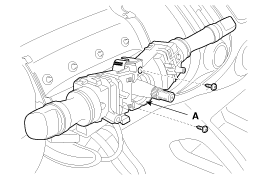
Loosen the screws on the multifunction switch assembly (A).
Installation
Install the multifunction switch.
Install the clock spring and steering wheel.
Install the upper and lower steering column covers.
Inspection
Light Switch Inspection
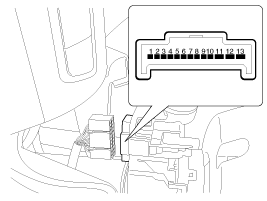
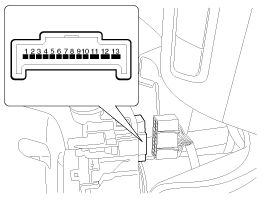
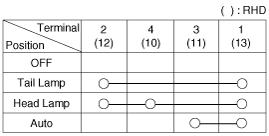
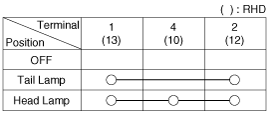
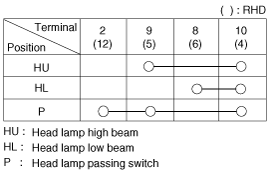
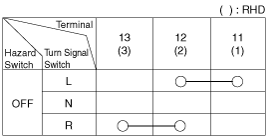
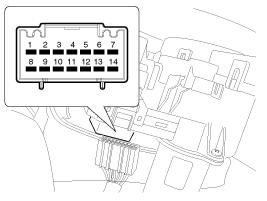
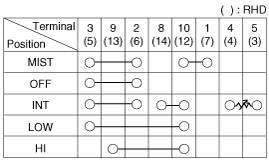
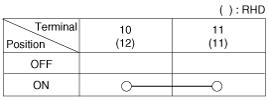
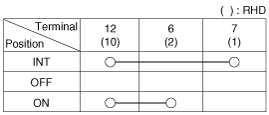
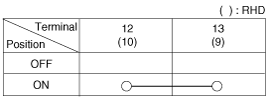
With the multifunction switch in each position, check for continuity between the terminals shown below. If continuity does not meet the specification, replace the multifunction switch. [LHD][Right-hand drive]Light Switch (Automatic Lighting)Light SwitchDimmer and Passing SwitchTurn Signal SwitchFront Fog LampFront and Rear Fog Lights
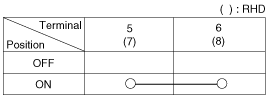
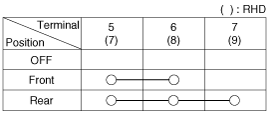
With the multifunction switch in each position, check for continuity between the terminals shown below. If continuity does not meet the specification, replace the multifunction switch. [LHD][Right-hand drive]Wiper SwitchWasher SwitchRear Wiper SwitchRear washer switch
Wiper and Washer Switch Inspection
Inspection (with GDS)
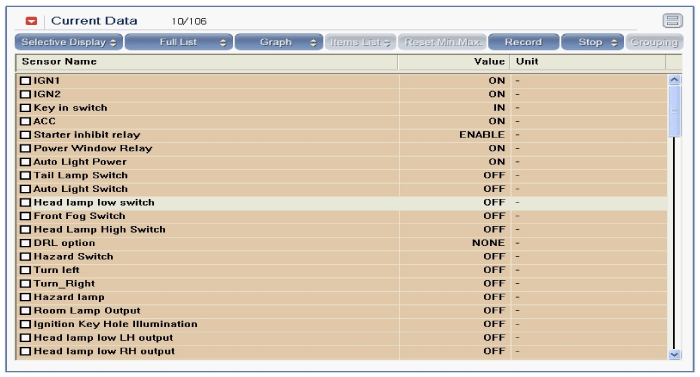
Check the BCM input/output specification of the multifunction switch using GDS. If the specification is not normal, replace the lamp or wiper switch.
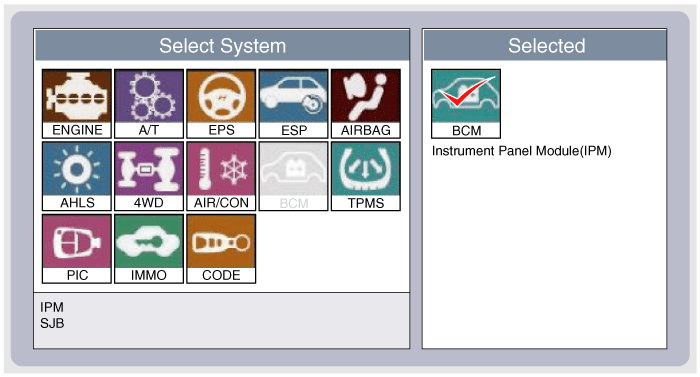
If diagnosis of the multifunction switch is required, select the model and "IPM".
Select "Current Data" and check the input/output status of the multifunction switch.
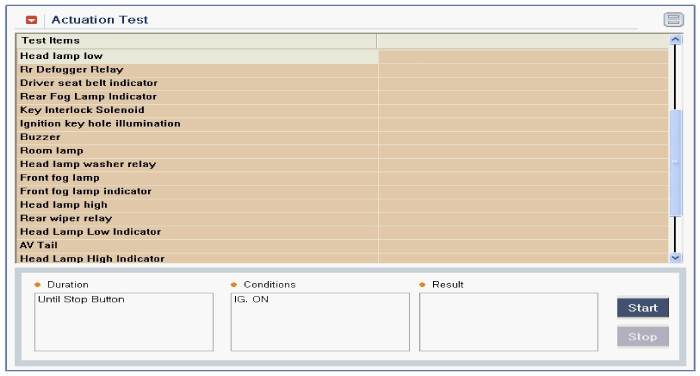
To check the multifunction switch outputs, select "Activation Test".
?
Test yourself
A quick Hyundai Tucson LM quiz: every answer comes with an explanation and a link to the manual page.