Trip Computer (Type A)
The trip computer displays driving-related information.
Information
Some driving information stored in the trip computer is reset if the battery is disconnected.
Trip Modes
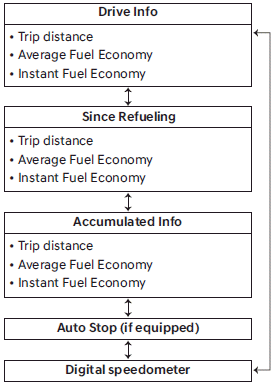
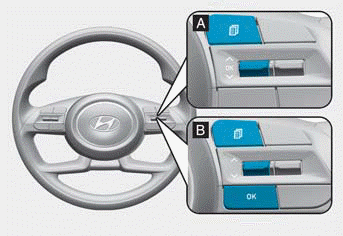
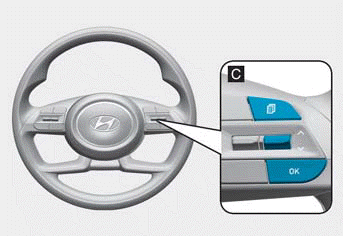
To change the trip mode, press the ˄ or ˅ switch on the steering wheel.
Average Fuel Economy Reset
- Manual Reset
To reset the average fuel economy manually, press and hold the OK button on the steering wheel for more than 1 second when the average fuel economy is displayed.
- Automatic Reset
To reset the average fuel economy automatically, select After Vehicle Start or After Refueling from the Settings menu on the cluster or infotainment system.
- After Vehicle Start: When the engine has been off for 3 minutes or longer, the average fuel economy is automatically reset.
- After Refueling: The average fuel economy is automatically reset after adding 1.6 gallons (6 liters) of fuel or more and after the vehicle speed exceeds 1 mph (1 km/h).
Information
With the 10.25-inch cluster, the fuel economy is displayed at the bottom center of the cluster.
Trip Information
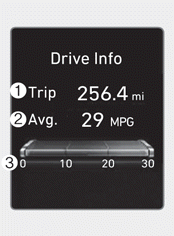
Trip distance 1, average fuel economy 2, and instant fuel economy 3 are displayed.
Information is accumulated for each ignition cycle. However, when the engine has been OFF for 3 minutes or longer, the trip information screen is reset.
To reset manually, press and hold the OK button on the steering wheel for more than 1 second when "Trip Information" is displayed.
Since Refuel
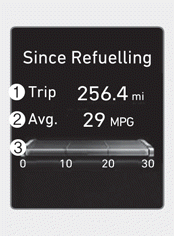
After refueling, distance 1, average fuel economy 2, and total driving time 3 are displayed.
To reset manually, press and hold the OK button on the steering wheel for more than 1 second when "Since Refueling" is displayed.
Accumulated Information
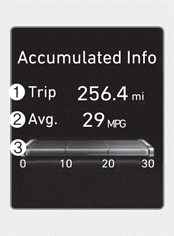
Total trip distance 1, average fuel economy 2, and instant fuel economy 3 are displayed.
Information is accumulated from the last reset.
To reset manually, press and hold the OK button on the steering wheel for more than 1 second when "Accumulated Information" is displayed.
Auto Stop
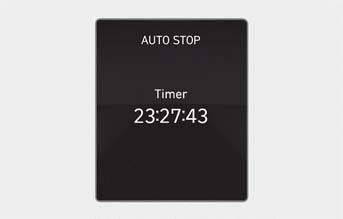
Displays the elapsed time of engine stop by the Idle Stop and Go system.
For more information, refer to "Idle Stop and Go (ISG)" in chapter 6.
Digital Speedometer

Indicates vehicle speed.
Test yourself
A quick Hyundai Tucson LM quiz: every answer comes with an explanation and a link to the manual page.