Using The Touch-Screen Radio Controls
1. Press the MENU hard-key on the radio faceplate.
2. Touch the Rear VES soft-key to display the Rear VES Controls. If a channel list appears on the right side of the screen, touch the HIDE LIST soft-key to display the Rear VES Controls screen.
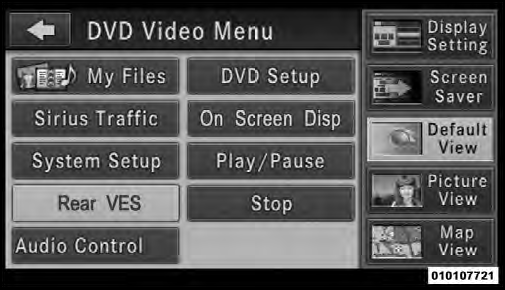
Rear VES Soft-key
3. Touch the 1 soft-key and then the DISC soft-key in the MEDIA column. To exit touch the back arrow soft-key at the top left of the screen.
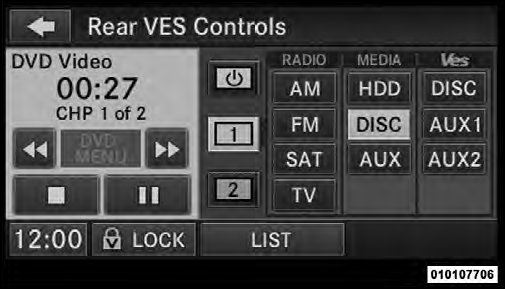
Select Channel/Screen 1 And DISC In The MEDIA Column
• Viewing a DVD on the Touch-Screen radio screen is not available in all states/provinces, and the vehicle must be stopped, and the shift lever must be in the PARK position for vehicles with automatic transmission.
In vehicles with manual transmission the parking brake must be engaged.
• Touching the screen on a Touch-Screen radio while a DVD is playing brings up basic remote control functions for DVD play such as scene selection, Play, Pause, FF, RW, and Stop. Pressing the X in the upper corner will turn off the remote control screen functions.
Test yourself
A quick Jeep Grand Cherokee quiz: every answer comes with an explanation and a link to the manual page.