Understanding your instrument panel
Play Video Games
In this manual: Understanding your instrument panel
~1min read
Connect the video game console to the Auxiliary RCA input jacks located on the back of the center console.
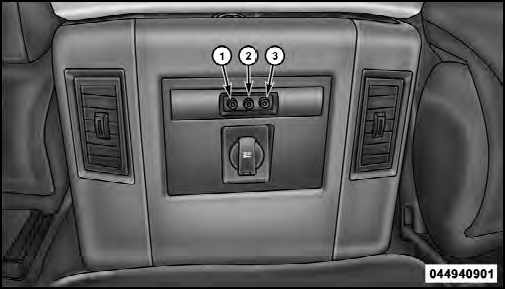
1. Video In – Yellow
2. Left Audio In – White
3. Right Audio In – Red
When connecting an external source to the AUX input, be sure to follow the standard color coding for the VES™ jacks:
Ensure the Remote Control and Headphone switch is on Channel 1.
Test yourself
A quick Jeep Grand Cherokee quiz: every answer comes with an explanation and a link to the manual page.
Was this page helpful?