Electric vehicle guide
Next departure. Departure time
In this manual: Electric vehicle guide
2steps
~12min
1/5difficulty
Done 0 of 2
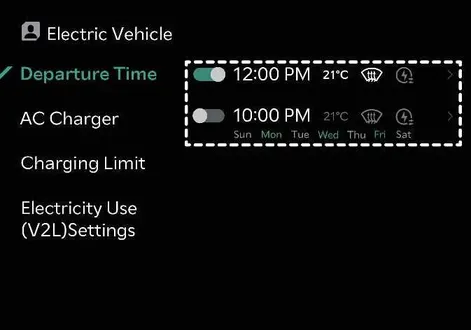 |
Conveniently set your anticipated departure time in advance to optimize scheduled vehicle charging cycles and achieve your preferred cabin target temperature before you even step inside your Kia EV2.
Departure time
 |
|
To activate automated scheduled charging and cabin pre-conditioning tailored to your exact departure time, simply select the desired day of the week within the vehicle settings menu of your Kia EV2.
TIP
The infotainment system interface and features might evolve following future software updates. For the most up-to-date operating instructions, refer directly to the digital manual built into the infotainment system and your vehicle's quick reference guide.
Was this page helpful?