Decreasing set speed
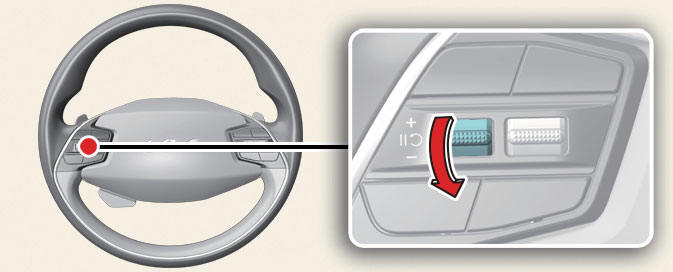
- Push the (-) switch down and release it immediately. The set speed will decrease by 1 km/h each time the switch is operated in this manner.
- Push the (-) switch down and hold it.
The set speed will decrease by 10 km/ h (5 mph) each time the switch is operated in this manner.
You can decrease the set speed to 30 km/h.
Temporarily canceling Smart Cruise Control
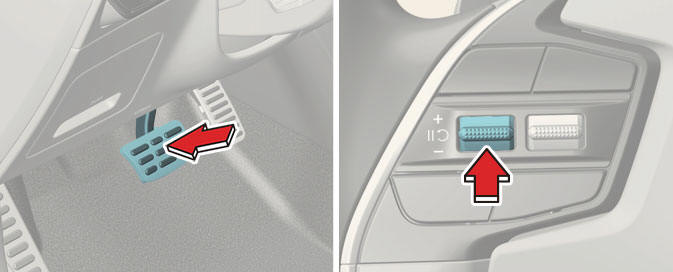
Press the (  ) switch or depress the brake pedal to temporarily cancel Smart Cruise Control.
Resuming Smart Cruise Control
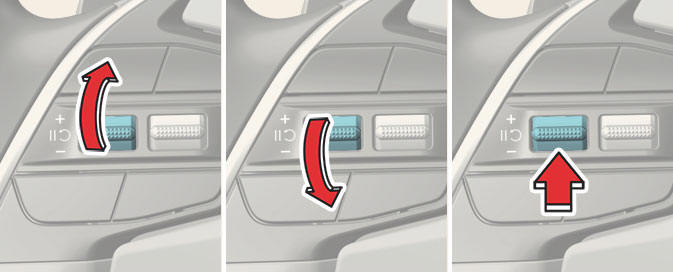
To resume Smart Cruise Control after the function was canceled, operate the (+), (-) or (  ) switch.
If you push the (+) switch up or (-) switch down, the set speed will be set to the current speed on the cluster.
If you press the ( ) switch, vehicle speed will resume to the preset speed.
WARNING
Check the driving condition before using the ( ) switch. Driving speed may sharply increase or decrease when you press the (
 ) switch.
Turning off Smart Cruise Control
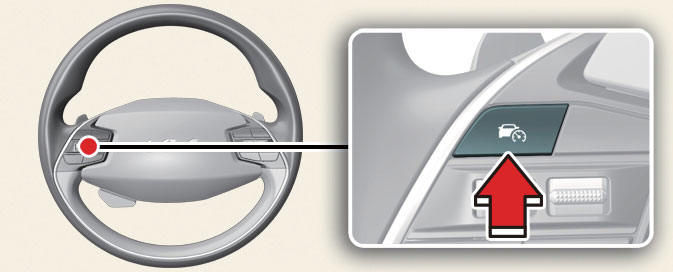
Press the Driving Assist button to turn Smart Cruise Control off.
NOTICE
If your vehicle is equipped with Manual Speed Limit Assist, press and hold the Driving Assist button to turn off Smart Cruise Control. However Manual Speed Limit Assist will turn on.
WARNING
Do not use the switches and buttons at the same time. Smart Cruise Control may not operate properly.