Multimedia Jack Repair procedures
Removal
Multimedia Jack
Disconnect the negative (-) battery terminal.
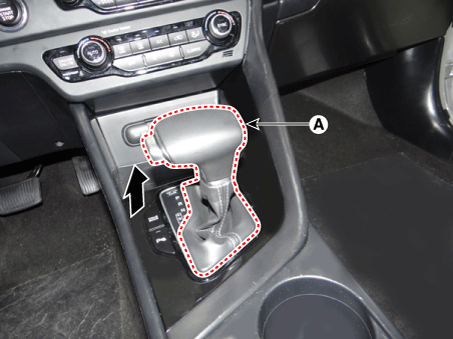
Remove the gear knob & boots (A) pull both of it up.
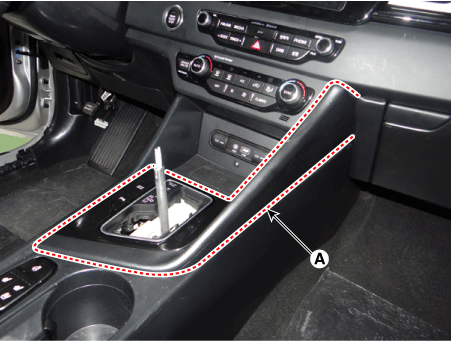
Remove the console upper cover (A) by using a remover.
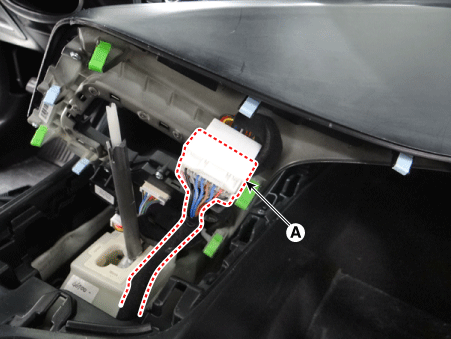
Disconnect the console upper cover connector (A).
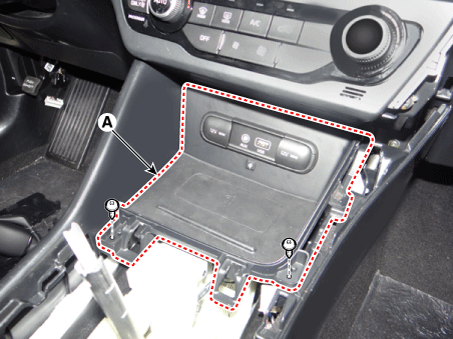
Remove the console tray (A) after loosening the mounting screws.
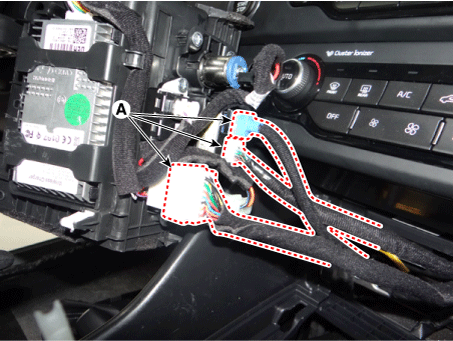
Disconnect the console tray connectors (A).
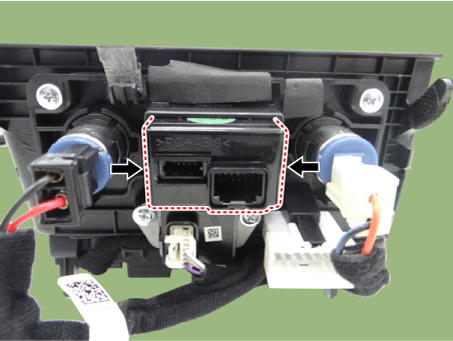
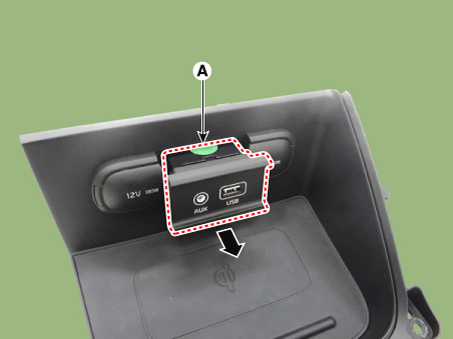
Remove the multimedia jack (A) after releasing the fixed hooks.
USB Charger (Console Armrest)
Disconnect the negative (-) battery terminal.
Remove the floor console assembly.
(Refer to Body - "Floor Console Assembly")
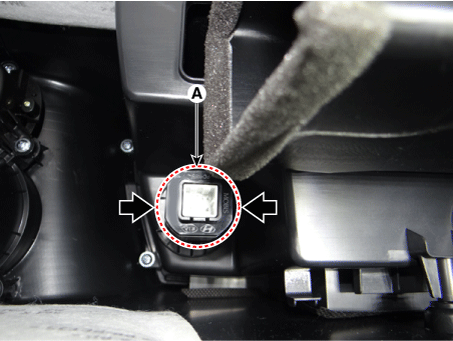
Disconnect the USB charger connector (A).

Remove the USB charger (A) after releasing the fixed hooks.
Installation
Multimedia Jack
Install the multimedia jack.
Connect the console tray connectors.
Install the console tray.
Connect the console upper cover connectors.
Install the console upper cover.
Install the gear knob & boots.
Connect the negative (-) battery terminal.
USB Charger (Console Armrest)
Install the USB charger.
Connect the USB charger connector.
Install the floor console assembly.
Connect the negative (-) battery terminal.