Nearby stations
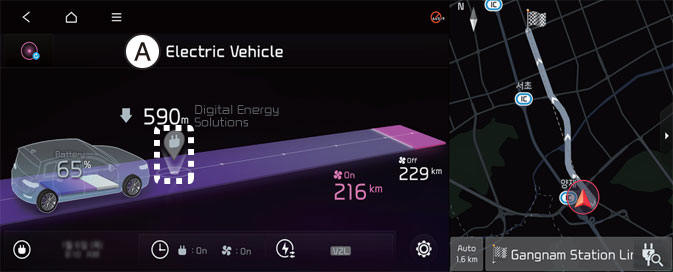
A: Electric Vehicle
Select EV and see the map from the infotainment system screen. Stations around the current location are searched.
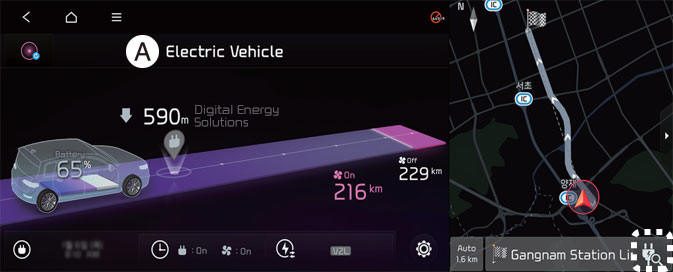
A: Electric Vehicle
Select the icon on the screen.
Around the course, around the current site, around the selected destination or charging stations of interest will be searched. If you choose the charging station, the detailed information will be provided.
NOTICE
The infotainment system may change after software updates. For more information, refer to the manual provided in the infotainment system and the quick reference guide.
EV settings
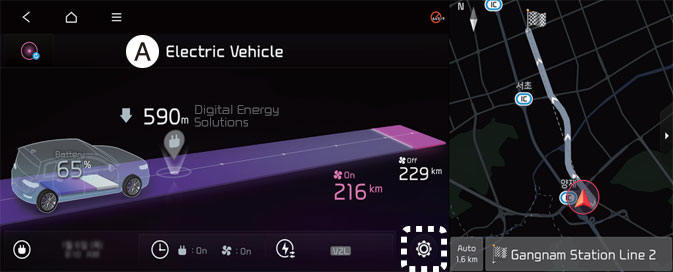
A: Electric Vehicle
Select the icon on the screen. You can set the charging limit, charging current, battery conditioning mode and utility mode functions.
Charging limit
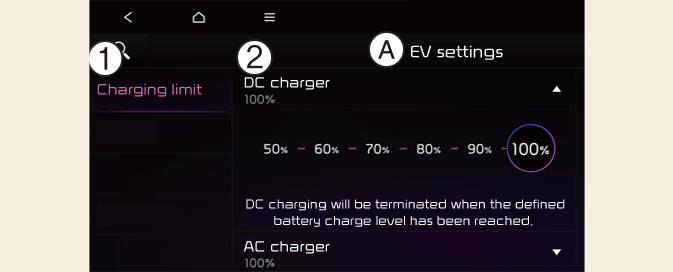
A: EV Settings
- Charging limit
- DC Charger
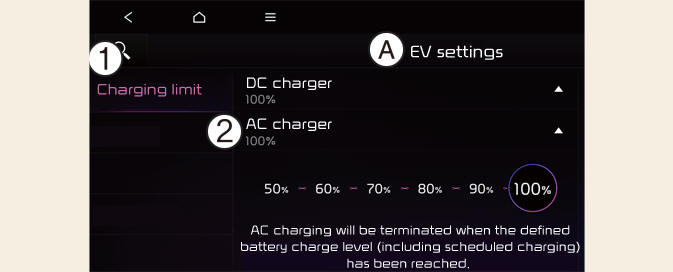
A: EV Settings
- Charging limit
- AC Charger
- The target battery charge level can be selected when charged with AC charger or DC charger.
- The charging level can be changed by 10%.
- If the target battery charge level is lower than the high voltage battery charge level, the battery will not be charged.
NOTICE
The infotainment system may change after software updates. For more information, refer to the manual provided in the infotainment system and the quick reference guide.
Charging current
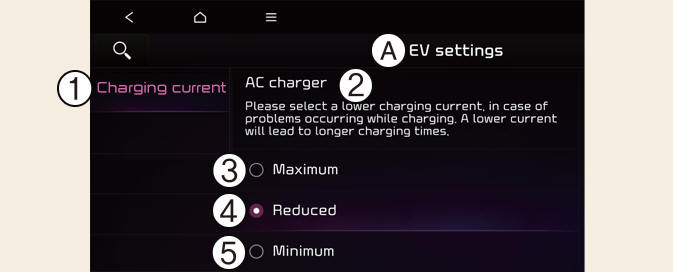
A: EV Settings
- Charging current
- AC Charger
- Maximum
- Reduced
- Minimum
- You can adjust the charging current for an AC charger. Select an appropriate charging current.
- If the charging process does not start or abruptly stops in the middle, reselect another proper current and re-try charging the vehicle.
- Charging time varies depending on which charging current is selected.
NOTICE
The infotainment system may change after software updates. For more information, refer to the manual provided in the infotainment system and the quick reference guide.