Rear View Monitor settings
Rear View Monitor (RVM) (if equipped)
Rear View Monitor shows the area behind the vehicle to assist you when parking or backing up.
Detecting sensor
Kia NIRO Hybrid
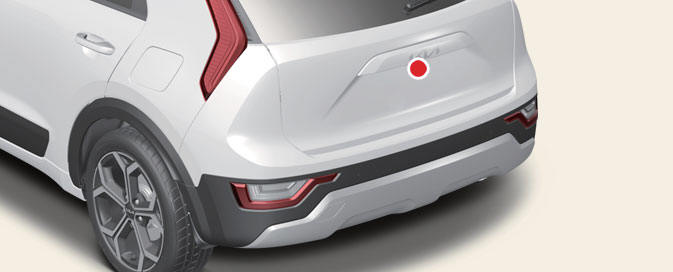
Rear view camera
Kia Niro EV
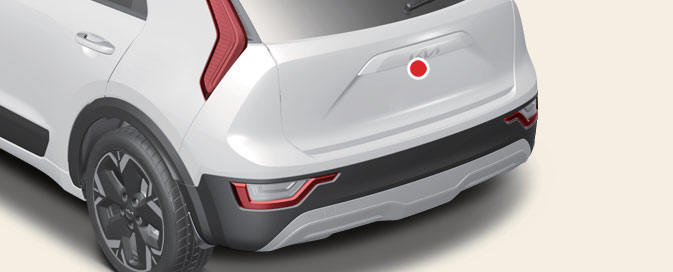
Wide-rear view camera
Refer to the picture above for the detailed location of the detecting sensor.
Rear View Monitor settings
Warning volume
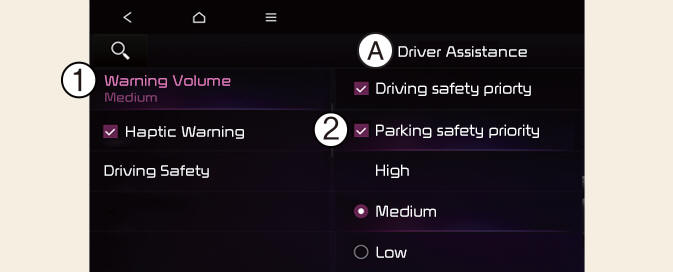
A: Driver Assistance
- Warning Volume
- Parking Safety Priority
If Reverse warning priority is selected, the audio volume will temporarily decrease while Rear View Monitor is operating for safe parking.- (Kia Niro EV only)
If Parking Safety Priority is selected, the audio volume will temporarily decrease while Rear View Monitor is operating for safe parking.- (Kia Niro Hybrid only)
NOTICE
If you change the Warning volume, the Warning volume of other Driver Assistance systems may change.
Camera settings
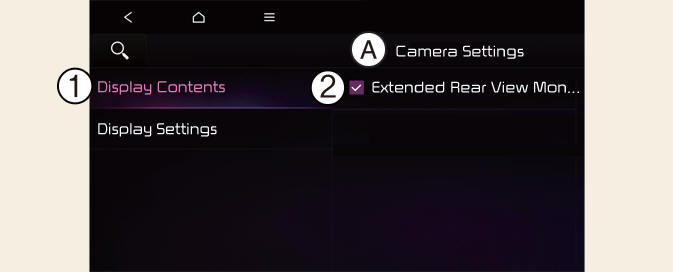
A: Camera Settings
- Display Contents
- Display Settings
You can change Rear View Monitor 'Display Contents' by touching the setup icon ( ) on the screen while Rear View Monitor is operating, or touching Settings → Vehicle → Driver assistance → Parking safety → Camera settings on the infotainment system
- Display Contents: To change the settings of Rear view parking guide and Extended rear camera use.
- Display Settings: To change the screen's brightness and contrast.
NOTICE
The settings menu may not be depending on the specifications of the vehicle specifications.
Rear View Parking Guide
Rear View Parking Guide Lines
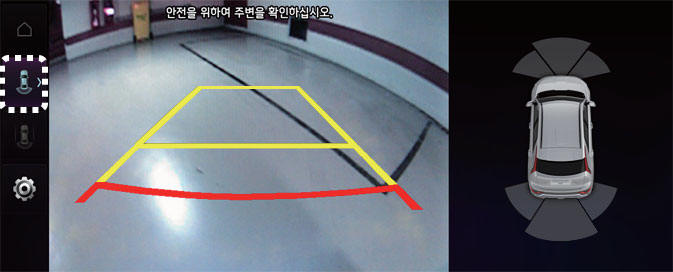
If Rear View Parking Guide Lines is selected, the rear view parking guide lines will be displayed at the left side of the infotainment system screen.
NOTICE- (Kia Niro Hybrid only)
The horizontal guideline shows the distance of 0.5 m (1.6 ft.), 1 m (3.3 ft.) and 2.3 m (7.6 ft.) from the vehicle.
Top View Parking Guide Lines- (Kia Niro Hybrid only)
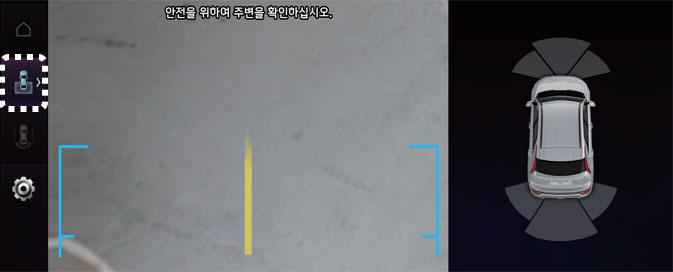
If Rear View Parking Guide Lines is selected, the top view parking guide lines will be displayed at the left side of the infotainment system screen.
NOTICE
The horizontal scale of rear top view paring guide indicates the tailgate opening distance, 1.5 m from the vehicle.
Extended rear camera use
With the vehicle on, touch Settings → Vehicle → Driver assistance → Parking safety → Camera settings → Display contents → Extend rear camera use on the infotainment system to turn on Extended Rear View function and deselect to turn off the function.