Body Electrical System
Telematics Module Unit (TMU) Repair Procedures
In this manual: Body Electrical System
11steps
~66min
3/5difficulty
Done 0 of 11
Removal
|

- Disconnect the negative (-) battery terminal.
- Remove the AVN head unit. (Refer to AVN System - AVN Head Unit)
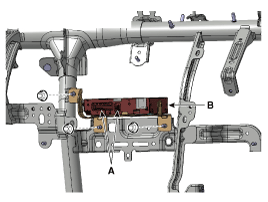
- Disconnect the TMU unit and GPS connector (A).
- Remove the TMU unit (B) after loosening the nuts.
Installation
- Install the TMU unit.
- Install the AVN head unit and center panel.
- Connect the negative (-) battery terminal.
Inspection
- After replacing the TMU unit, enter the Dealer Engineering Mode on the head unit. (Refer to MTS System - "TMU Dealer Engineering Mode")
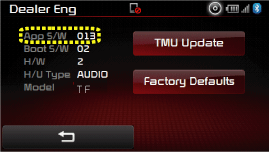
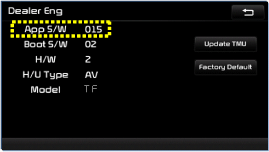
- Check the TMU version ("App S/W") on the head unit screen. [Audio type]
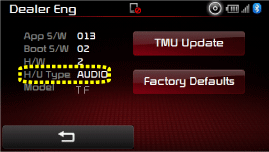
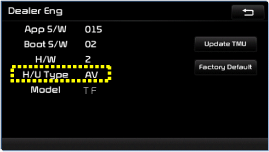
- Check the H/U type on the head unit screen. [Audio type]
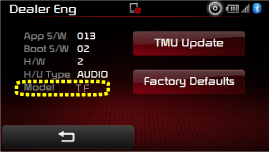
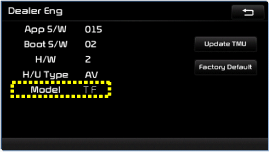
- Check the model on the head unit screen. [Audio type]
Test yourself
A quick Kia Optima Hybrid Owner's Manual quiz: every answer comes with an explanation and a link to the manual page.
Was this page helpful?