Infotainment system vehicle settings
Contents:
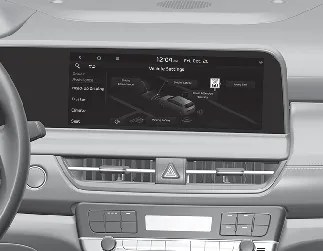
Vehicle Settings in the Kia Seltos infotainment system provide user options for adjusting door lock and unlock behavior, convenience features, driver assistance functions, display preferences, and other vehicle settings. Available menus may vary depending on trim level and equipment.

WARNING
Do not operate the Vehicle Settings menu while driving. Adjusting settings while the vehicle is moving may distract the driver and could result in an accident.
Setting your vehicle

[A]: SETUP
Press the SETUP button on the head unit of the Kia Seltos infotainment system.
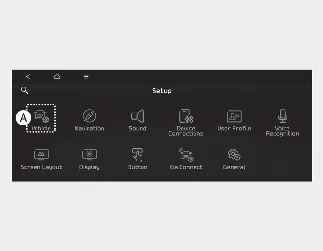
[A]: Vehicle
Select Vehicle, then change the available feature settings according to your preference.
Vehicle Settings menu
Driver Assistance
Head-Up Display
Cluster
Climate
Seat
Lights
Door
Digital Key
Convenience

NOTICE
The information provided may differ depending on which features are available on your Kia Seltos.

NOTICE
The infotainment system menu layout may change after software updates. For the most accurate information, refer to the user's manual provided in the Kia Seltos infotainment system.