Navigation system: route guidance
Deleting destinations
In this manual: Navigation system: route guidance
~1min read
A set destination can be deleted.
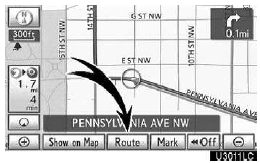
1. Touch “Route”.
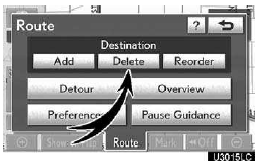
2. Touch “Delete”.
When more than one destination is set, a list will be displayed on the screen.
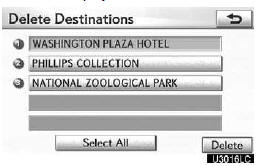
3. Touch the destination for deletion.
“Select All”: To select all destinations on the list.
“Unselect All”: To unselect all of the selected destinations.
A message appears to confirm the request to delete.
4. To delete the destination(s), touch “Yes”.
If “Yes” is touched, the data cannot be recovered.
If “No” is touched, the previous screen will return.
The system searches for the guidance route again, and displays the entire route.
Test yourself
A quick Lexus GX quiz: every answer comes with an explanation and a link to the manual page.
Was this page helpful?