Appendix
Registering home
In this manual: Appendix
~1min read
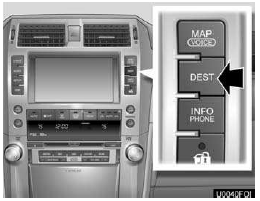
1. Push the “DEST” button.
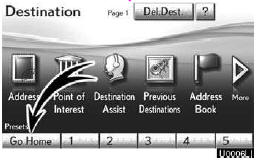
2. Touch “Go Home”.
If home has not been registered, you can register it by touching “Go Home”.

3.Touch “Yes”.

4. There are 4 different methods to search your home.
See “Destination search” on page 62.
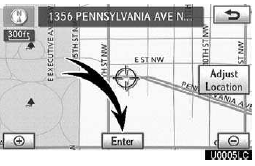
5. Touch “Enter”.
The “Edit Home” screen is displayed.
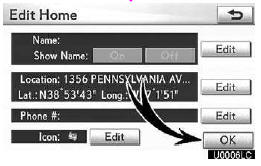
6. Touch “OK”.
Registration of home is complete.
You can also register home by pushing the “SETUP” button. (See “(a) Registering home” on page 111.) You can change the name, location, phone number and icon. (See “(b) Editing home” on page 112.)
Test yourself
A quick Lexus GX quiz: every answer comes with an explanation and a link to the manual page.
Was this page helpful?