Navigation operation
Setting home as the destination
In this manual: Navigation operation
~1min read
1 Press the “DEST” button.
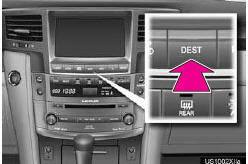
2 Touch “Go Home”.
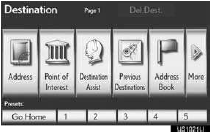
“Go Home” can be used if your home address has been registered. Your home address is set as the destination.
The navigation system performs a search for the route.
3 Touch “OK”, and start driving.
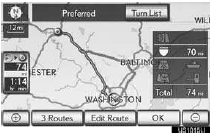
Routes other than the one recommended can also be selected.
Guidance to the destination is displayed on the screen and can be heard via voice guidance.
Test yourself
A quick Lexus LX quiz: every answer comes with an explanation and a link to the manual page.
Was this page helpful?