Adjusting the screen
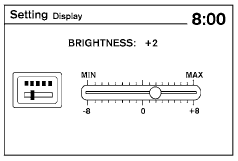
Type A
The procedure for adjusting the quality of the screen differs depending on the type of screen present on the vehicle.
For vehicles without a touch screen (Type A):
● To adjust the Brightness and Contrast, press the ENTER button on the audio system repeatedly until the desired setting is displayed. Use the TUNE/SCROLL knob to adjust the display to the desired level.
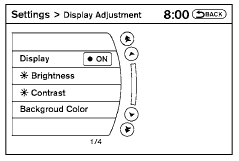
Type B
● Do not adjust the Brightness or Contrast of the RearView Monitor while the vehicle is moving.
For vehicles with a touch screen (Type B):
● To adjust the Brightness, Contrast, Display ON/OFF and Color of the RearView Monitor, press the SETTING button and then select the “Display” key with the RearView Monitor on. When the display adjustment screen appears, touch the “–” or “+” key on the desired item and adjust the level.
● Do not adjust the Brightness, Contrast, and Color of the RearView Monitor while the vehicle is moving.
Test yourself
A quick Nissan Altima quiz: every answer comes with an explanation and a link to the manual page.