Driver Information & Multimedia
Front Camera (driving Video Recorder)
In this manual: Driver Information & Multimedia
~1min read
Exploded View
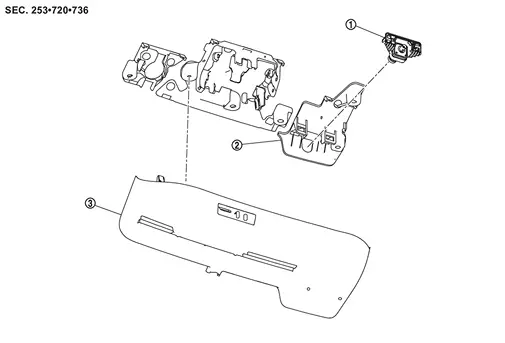
 |
Front camera (driving video recorder) |  |
Bracket |  |
Cover |
Removal and Installation
REMOVAL
Using a suitable tool, release clips  , and remove cover .
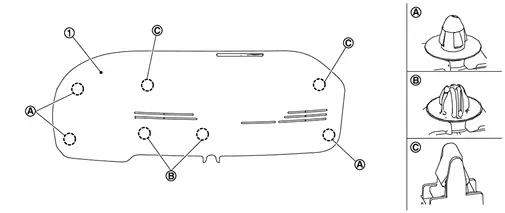
Disconnect front camera (driving video recorder) harness connector.
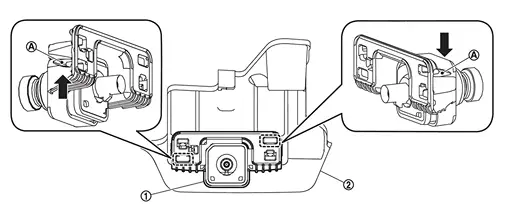
Push to the arrow  the stopper
 , and remove the front camera (driving video recorder) from bracket .
INSTALLATION
Note the following, and install in the reverse order of removal.
Was this page helpful?