Speedometer and odometer
Your Nissan Leaf is equipped with a high-visibility digital speedometer and a precise odometer system. The speedometer is positioned conveniently on the right side of the main vehicle information display, while the odometer and trip data are integrated directly into the vehicle information screen for easy reference while driving.
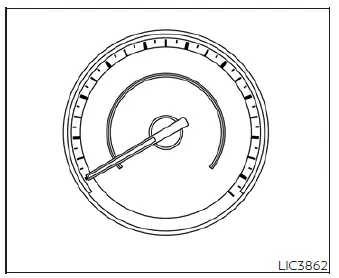
Speedometer
The digital speedometer provides a clear, real-time indication of your current driving speed.
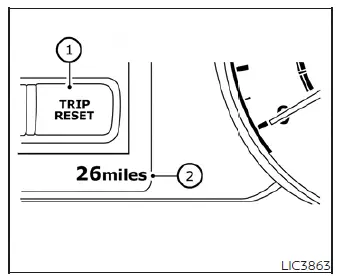
Odometer/twin trip odometer
The odometer and twin trip odometers are viewable on the vehicle information display whenever the power switch is in either the ON or the "READY to drive" position.
The odometer continuously records the cumulative total distance the Nissan Leaf has traveled since its manufacture.
The twin trip odometers allow you to track the distance of specific individual journeys or tasks independently.
Changing the display:
Pressing the TRIP RESET switch located on the left side of the instrument panel cycles the display through the following sequence: Odometer → TRIP A → TRIP B → Odometer.
For more comprehensive details on customizing or viewing the vehicle information display, please see the "Vehicle information display" section of this manual.
Resetting the trip odometer:
By pressing and holding the TRIP RESET switch for approximately 1 second, the currently selected trip odometer will be reset to zero.