Brake Pedal
BRAKE PEDAL HEIGHT
Remove instrument lower panel LH. Refer to Removal and Installation.
Disconnect the harness connectors from the stop lamp switch and brake pedal position switch.
Turn the stop lamp switch and brake pedal position switch 45° counterclockwise.
Loosen the input rod lock nut (1).
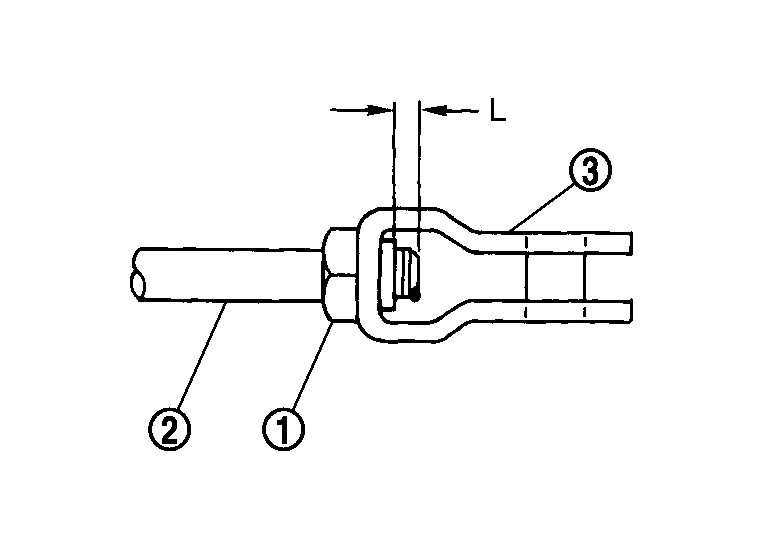
Adjust the brake pedal height to the specification. Refer to Brake Pedal.
Tighten the input rod lock nut to specification. Refer to Exploded View.
Turn the stop lamp switch and brake pedal position switch 45° clockwise.
Connect the harness connectors to the stop lamp switch and brake pedal position switch.
Check the brake pedal for smooth operation.
Install instrument lower panel LH. Refer to Removal and Installation.
STOP LAMP SWITCH AND BRAKE PEDAL POSITION SWITCH
Remove instrument lower panel LH. Refer to Removal and Installation.
Disconnect the harness connectors from the stop lamp switch and brake pedal position switch.
Turn the stop lamp switch and brake pedal position switch 45° counterclockwise.
With the threaded ends of the stop lamp switch (1) and brake pedal position switch (2) contacting the pedal bracket (3), turn the switches 45° clockwise to lock in place. Check that both the stop lamp switch (1) and brake pedal position switch (2) contact ends to brake pedal bracket (3) clearance (A) are within specification.

| Clearance (A) | : Refer to Brake Pedal. |
Connect the harness connector to the stop lamp switch and the brake pedal position switch.
Install instrument lower panel LH. Refer to Removal and Installation.