Instruments and controls
Touch screen
In this manual: Instruments and controls
~1min read
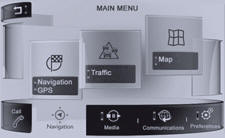


Press MENU to display the MAIN MENU then select " Settings".

Select "System configuration".

Select "Date & Time".


Select the date or time displayed, use the keypad to adjust the setting, then "Confirm".
Test yourself
A quick Peugeot 208 quiz: every answer comes with an explanation and a link to the manual page.
Was this page helpful?