Audio
Fast-reversing
In this manual: Audio
~1min read

Type A and B audio
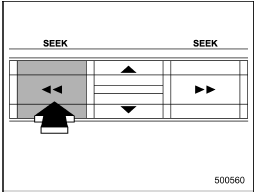
Type C audio
Press the “ ” side of the “SEEK” button continuously to fast-reverse the disc/ folder.
Release the button to stop fast-reversing.
In an MP3, WMA or AAC folder (type C audio), the player will start playback beginning with the first track/file of the current folder.
Test yourself
A quick Subaru Impreza quiz: every answer comes with an explanation and a link to the manual page.
Was this page helpful?