Other interior features
Sun visors
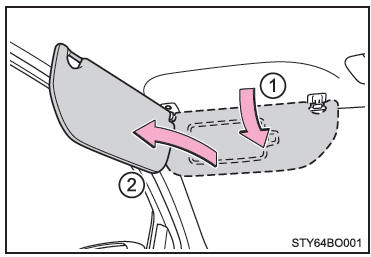
- To secure a visor in the forward position, push it downward.
- To secure a visor in the side position, push it downward, unhook it and swing it to the side.
Vanity mirrors
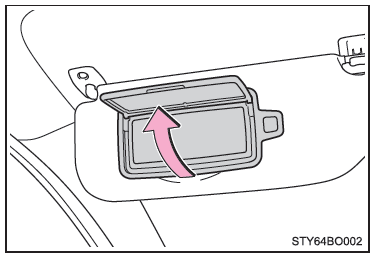
Open the cover to use it.
Clock (if equipped)
Vehicles with a multimedia system See the "Multimedia System Owner's Manual".
Vehicles without a multimedia system
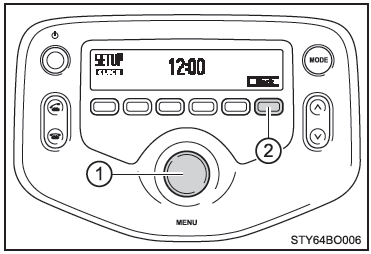
- "MENU" knob
- "Back" button
Press the "Back" button to return to the previous screen on the display.
■ Adjusting the clock
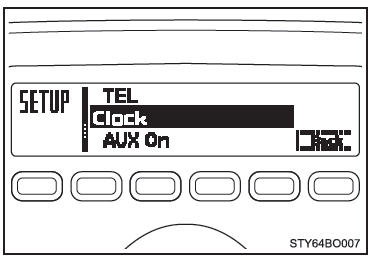
- Press the "MENU" knob while the vehicle is stopped.
- Select "Clock" on the menu screen.
- Turn the "MENU" knob to adjust the hour.
After adjusting the hour, press the "MENU" knob to confirm.
- Turn the "MENU" knob to adjust the minutes.
After adjusting the minutes, press the "MENU" knob to confirm.
■ The clock is displayed when
Vehicles without smart entry and start system The key in the ignition switch is in the "ACC" or "ON" position.
Vehicles with smart entry and start system The engine switch is in ACCESSORY or IGNITION ON mode.
■ When the battery terminals are disconnected and reconnected The clock data will be reset.
Outside temperature display
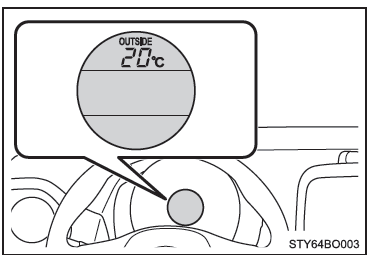
The temperature display shows a range between -40°C and 50 °C.
Type A
Type B
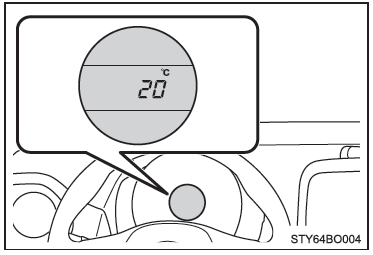
■ The outside temperature is displayed when
Vehicles without smart entry and start system The key in the ignition switch is in the "ON" position.
Vehicles with smart entry & start system The engine switch is in IGNITION ON mode.
■ Outside temperature display In the situations described below, the correct outside temperature may not be displayed, or the display may take longer than usual.
- When the vehicle is stopped or traveling at low speed (approximately 25 km/h or less)
- When the outside temperature changes suddenly (entering or leaving a garage, tunnel, etc.)
- When the vehicle has been operating for a very short time (approximately 2 minutes or less)
■ When "– –" is displayed The system may not be operating correctly. Have the vehicle checked by any Toyota authorized dealer or repairer, or another duly qualified and equipped professional.
■ When the outside temperature is low If the outside temperature drops to 3 °C or below, the temperature value will flash on the display 10 times to alert the driver that there may be ice on the road.
Type B only: The display automatically switches to the outside temperature display. After flashing 10 times or after one of the "DISP" buttons is pressed, the display returns to the previous screen.
Power outlet
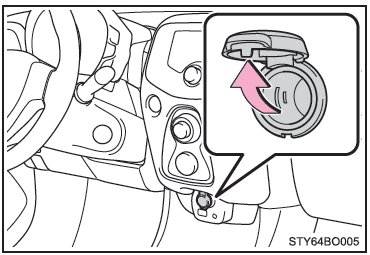
For use as a power supply for electronic devices that draw less than 12 V DC/10 A (120 W consumption).
Open the cover.
■ The power outlet can be used when
Vehicles without smart entry and start system The key in the ignition switch is in the "ACC" or "ON" position.
Vehicles with smart entry and start system The engine switch is in ACCESSORY mode or IGNITION ON mode.
NOTE
■ To prevent damage to the power outlet When the power outlet is not in use, close the cover.
Foreign objects or liquids entering the power outlet may cause a short circuit.
■ To prevent battery discharge With the engine off, do not use the power outlet longer than necessary.
Test yourself
A quick Toyota Aygo quiz: every answer comes with an explanation and a link to the manual page.