Audio & Visual & Telematics
Microphone
In this manual: Audio & Visual & Telematics
~1min read
Removal
REMOVAL
COMPONENTS (REMOVAL)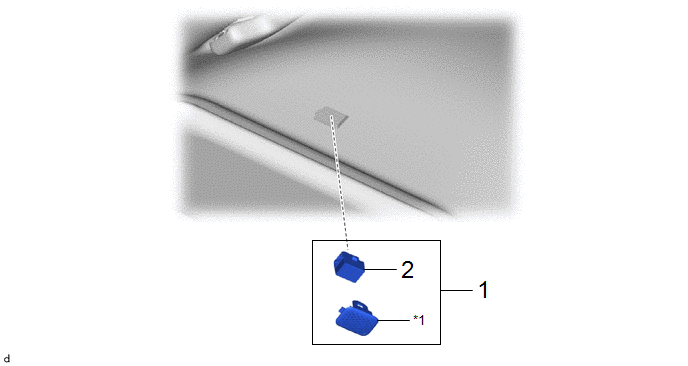
Procedure | Part Name Code |  |  |  |
|
|---|---|---|---|---|---|
1 |
TELEPHONE MICROPHONE ASSEMBLY WITH MICROPHONE CASE |
- |
- |
- |
- |
2 |
TELEPHONE MICROPHONE ASSEMBLY |
- |
- |
- |
- |
*1 |
MICROPHONE CASE |
- |
- |
PROCEDURE
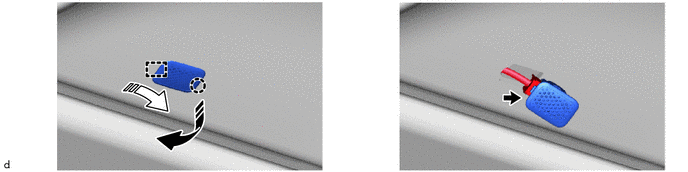
1. REMOVE TELEPHONE MICROPHONE ASSEMBLY WITH MICROPHONE CASE
 |
Remove in this Direction (1) |
 |
Remove in this Direction (2) |
(b) Use the same procedures for the opposite side.
2. REMOVE TELEPHONE MICROPHONE ASSEMBLY

Installation
INSTALLATION
COMPONENTS (INSTALLATION)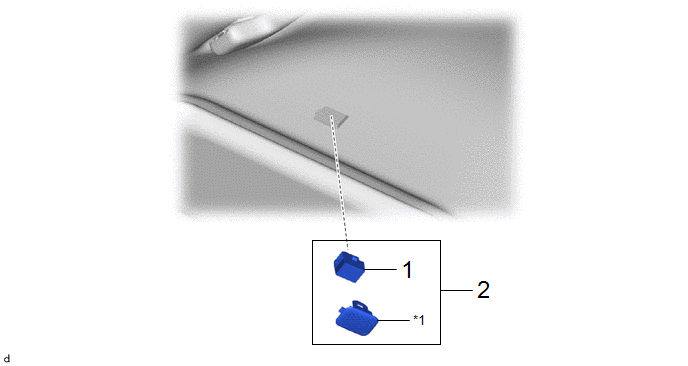
Procedure | Part Name Code |  |  |  |
|
|---|---|---|---|---|---|
1 |
TELEPHONE MICROPHONE ASSEMBLY |
- |
- |
- |
- |
2 |
TELEPHONE MICROPHONE ASSEMBLY WITH MICROPHONE CASE |
- |
- |
- |
- |
*1 |
MICROPHONE CASE |
- |
- |
PROCEDURE
1. INSTALL TELEPHONE MICROPHONE ASSEMBLY
2. INSTALL TELEPHONE MICROPHONE ASSEMBLY WITH MICROPHONE CASE
Was this page helpful?