Vehicle status information and indicators
Vehicle information display
In this manual: Vehicle status information and indicators
2steps
~12min
1/5difficulty
Done 0 of 2
■ Drive information
Displays drive information such as the following:
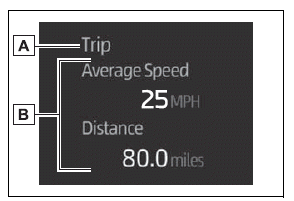
- Drive information type
- Drive information items
Displays the following depending on which drive information type and drive information items were selected in  .
- After start
- Distance: Displays the distance driven since engine start
- Elapsed time: Displays the elapsed time since engine start
- Average vehicle speed: Displays the average vehicle speed since engine start
- After reset
- Distance: Displays the distance driven since the display was reset*
- Elapsed time: Displays the elapsed time since the display was reset*
- Average vehicle speed: Displays the average vehicle speed since the display was reset*
*: To reset, display the desired item and press and hold the OK meter control switch.
■ AWD operation status display (if equipped)
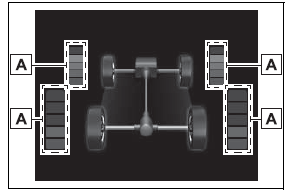
The illustration used is intended as an example, and may differ from the image that is actually displayed on the multi-information display.
- Torque distribution display
Displays the drive status of each wheel in 6 steps from 0 to 5.
Was this page helpful?