Display contents
The multi-information display presents the driver with a variety of vehicle data.
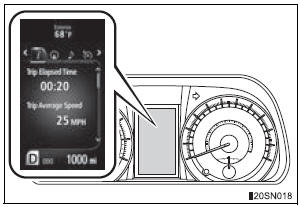
- Menu icons
Displays the following information when an icon is selected.
Some of the information may be displayed automatically depending on the situation.
 Drive information
Select to display various drive data.
 Navigation system-linked display
(if equipped)
Select to display the following navigation system-linked information.
- Route guidance
- Compass display (north-up display/heading-up display)
 Audio system-linked display
Select to enable selection of an audio source or track on the meter using the meter control switches.
 Cruise control display (if
equipped)
Select to display the information and operation procedures of the cruise control.
 Dynamic radar cruise control
display (if equipped)
Select to display the information and operation procedures of the dynamic radar cruise control. The  tab will change to
 when the vehicle is in constant
speed control mode.
 Warning message display
Select to display warning messages and measures to be taken if a malfunction is detected.
 Settings display
Select to change the meter display settings.
- Intuitive parking assist display (if equipped)
Automatically displayed when the system is used
Test yourself
A quick Toyota Sienna quiz: every answer comes with an explanation and a link to the manual page.