Audio system
Selecting the audio source
In this manual: Audio system
2steps
~12min
1/5difficulty
Done 0 of 2
Switching between audio sources such as radio and CD are explained in this section.
Changing audio source
- Press the “AUDIO” button to display the audio source selection screen.
If the audio source selection screen is not displayed, press the “AUDIO” button again.
- Select the desired audio source.
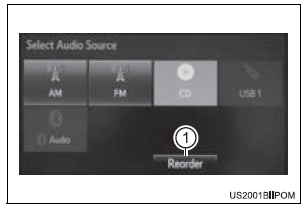
- Select the desired audio source then
 or
 to
reorder.
Using the steering wheel switches to change audio source
The audio source changes as follows each time the “MODE/HOLD” switch is pressed.
Test yourself
A quick Toyota Sienna quiz: every answer comes with an explanation and a link to the manual page.
Was this page helpful?