Multimedia
Antenna
In this manual: Multimedia
~1min read
AntennaRemoving the antenna1. Place the included wrench around the antenna. When not in use, the wrench is stored in glove box. 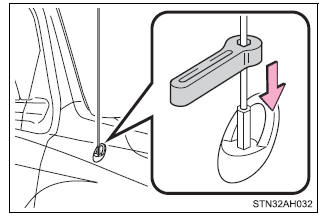 2. Loosen the antenna with the wrench and remove it. 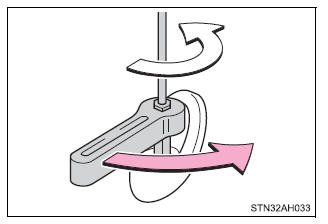 Installing the antenna1. Tighten the antenna by one hand until it will not turn any more. 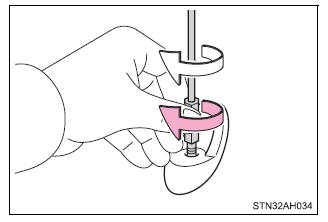 2. Using the wrench, tighten the antenna an additional 1/8th turn (20 to 45 degrees) to secure it in place. After tightening the antenna, remove the wrench. 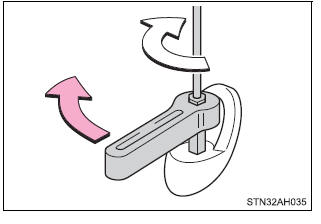 ■About the wrench After using the included wrench, store it in the glove box for safekeeping. NOTICE■To avoid damaging the antenna Remove the antenna in the following situations.
■Removing the antenna
■Using the wrench
|
Was this page helpful?