Basic Operations
Multimedia system typesEntune Audio 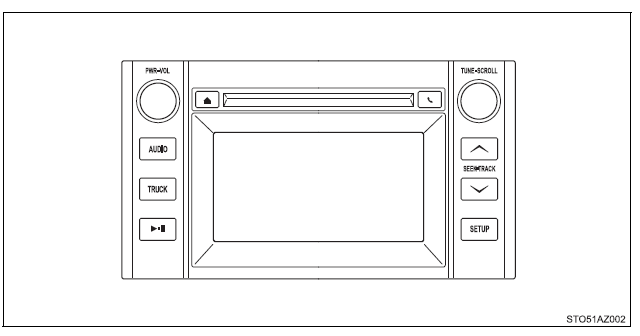 Entune Audio Plus Refer to the "NAVIGATION AND MULTIMEDIA SYSTEM OWNER'S MANUAL". 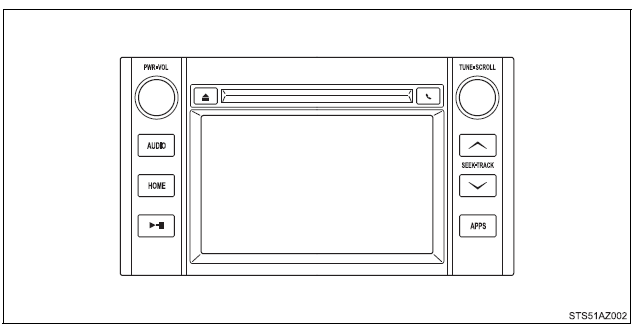 Entune Premium Audio Refer to the "NAVIGATION AND MULTIMEDIA SYSTEM OWNER'S MANUAL". 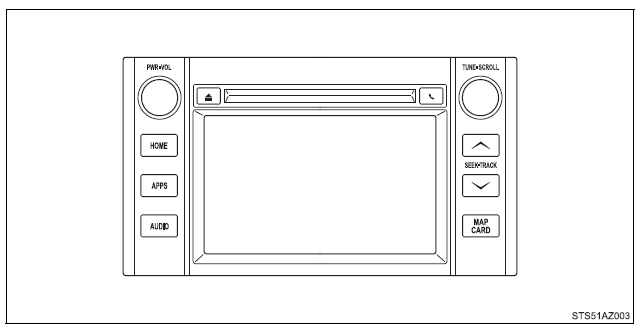 Entune AudioOperations such as listening to audio, using the hands-free phone, confirming vehicle information and changing multimedia system settings are started by using the following buttons.Multimedia system operation buttons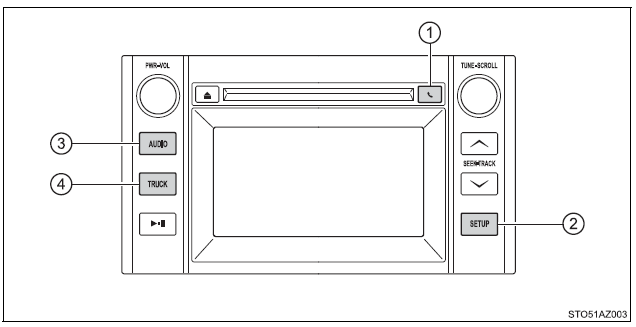
Operating the touch screenBy touching the screen with your finger, you can control the Audio system, hands-free system, etc. ■ Drag* Touch the screen with your finger and move the screen to the desired position.
■ Flick* Touch the screen with your finger and then quickly move the screen.
*: The above operations may not be performed on all screens. ■When using the touch screen
■Using cellular phones Interference may be heard through the multimedia system's speakers if a cellular phone is being used inside or close to the vehicle while the multimedia system is operating. WARNING■Laser product THIS PRODUCT IS A CLASS I LASER PRODUCT. USE OF CONTROLS OR ADJUSTMENTS OR PERFORMANCE OF PROCEDURES OTHER THAN THOSE SPECIFIED HEREIN MAY RESULT IN HAZARDOUS RADIATION EXPOSURE. DO NOT OPEN COVERS AND DO NOT REPAIR BY YOURSELF. REFER SERVICING TO QUALIFIED PERSONNEL. NOTICE■To avoid damaging the touch screen
■To prevent battery discharge Do not leave the multimedia system on longer than necessary when the engine is off. ■To avoid damaging the multimedia system Take care not to spill drinks or other fluids on the multimedia system. Steering wheel audio switchesSome audio features can be controlled using the switches on the steering wheel.Operation may differ depending on the type of multimedia system or navigation system. For details, refer to the manual provided with the multimedia system or navigation system. Operating the multimedia system using the steering wheel switches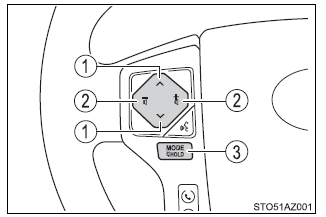
■To reduce the risk of an accident Exercise care when operating the audio switches on the steering wheel. USB Port/AUX PortConnect an iPod, USB memory device or portable audio player to the USB/AUX port as indicated below. Select "iPod", "USB" or "AUX" on the "Select Audio Source" screen and the device can be operated via multimedia system.Connecting using the USB/AUX port■ iPod Open the cover and connect an iPod using an iPod cable. Turn on the power of the iPod if it is not turned on. 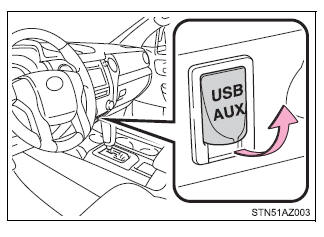 ■ USB memory Open the cover and connect the USB memory device. Turn on the power of the USB memory device if it is not turned on. ■ Portable audio player Open the cover and connect the portable audio player. Turn on the power of the portable audio player if it is not turned on. ■ AUX port The AUX port only supports audio input. WARNING ■While driving Do not connect a device or operate the device controls. |
 button