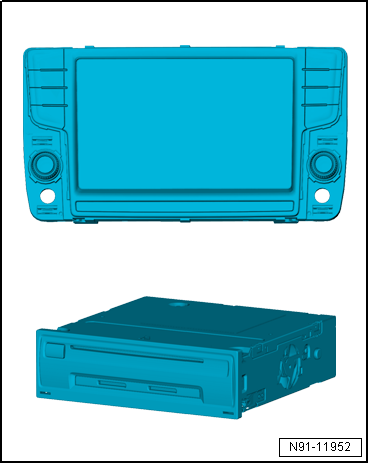
Integrated Dual DAB tuner for digital radio reception
SDARS for vehicles in North America and Canada
Integrated diversity function
3 D navigation system with GPS satellite receiver
CD drive
DVD drive
SD memory card reader with 2 SD card slots
AUX IN via jack connector
USB connection
iPod connection
AAC
AV output
MP3 play function
WMA
JPEG viewer
WLAN internal
UMTS
Support for multifunction steering wheel
Support for vehicle menu
Self-diagnosis, including loudspeaker diagnosis
Bluetooth hands-free system
Voice control
Speed dependent volume control (GALA)
Speed dependent dynamic compression (GADK)
FBAS (reversing camera)
Available as an option (Car Net):
Google Navigation
Google Street View
POI Online
Google Search
Note When dealing with complaints it is absolutely necessary to understand the functions and operation of the infotainment system.
Additional information can be found in the → Operating manual.
Other systems in the vehicle are connected via CAN bus (infotainment) and data bus diagnostic interface -J533-.
Fault finding is done via Guided fault finding → Vehicle diagnostic tester.
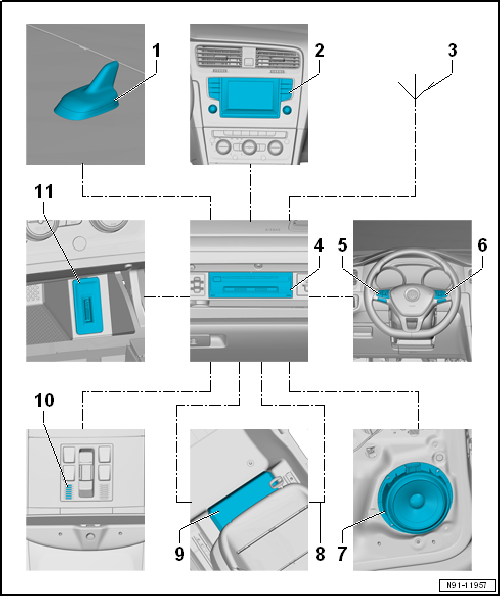
Infotainment system overview
1 -
Roof aerial -RX5-
2 -
Display unit for control device of front display and information control panel -J685-
3 -
Rear window aerial
4 -
Control unit 1 for information electronics -J794-
5 -
Multifunction buttons on left in steering wheel -E440-
6 -
Multifunction buttons on right in steering wheel -E441-
7 -
Sound system
8 -
MOST bus
9 -
Digital sound package control unit -J525-
10 -
Telephone microphone -R38-
In front interior light -W1-.
11 -
Connection for external multimedia devices
Notes on MOST bus
Apart from the CAN bus, the optical data bus “MOST bus” is used.
Optical fibre conductors are used as “connecting cables”. For protection purposes, optical fibre conductors are run through corrugated pipes.
As far as possible, renew the complete optical fibre conductor.
Make sure that the cross-cut ends of connectors are not dirty.
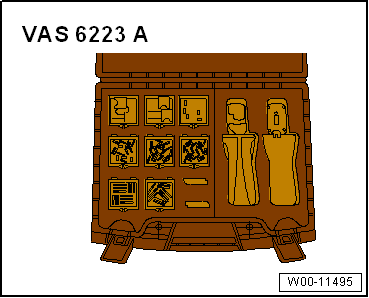
If connectors are separated, attach protective cap for cable-set connector -VAS 6223/9-. When routing the optical fibre conductor, make sure that the minimum bending radius of 25 mm is observed. Optical fibre conductors must not be kinked or pinched.
Optical fibre conductors → Electrical System, General Information; Rep. gr.97
?
Test yourself
A quick Volkswagen Golf quiz: every answer comes with an explanation and a link to the manual page.
 Note When dealing with complaints it is absolutely necessary to understand the functions and operation of the infotainment system.