Removing and installing infotainment system display
In this manual: Communication
~1min read
Special tools and workshop equipment required
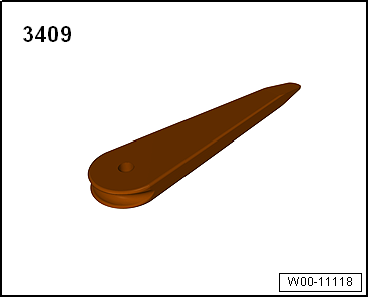
Removal wedge -3409-
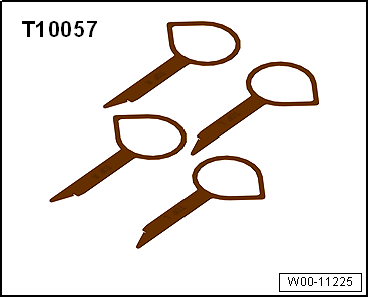
Radio release tool -T10057-
Removing
Switch off ignition and all electrical consumers, and remove ignition key.
Caution
Danger of damage to component surfaces.
When using leverage tools, mask visible areas of the component with commercially available adhesive tape.
Remove centre dash panel trim → General body repairs, interior; Rep. gr.70
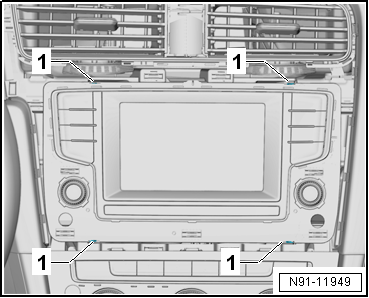
Insert radio release tools -T10057- into slots -1- in display unit for control device of front display and information control panel -J685-.
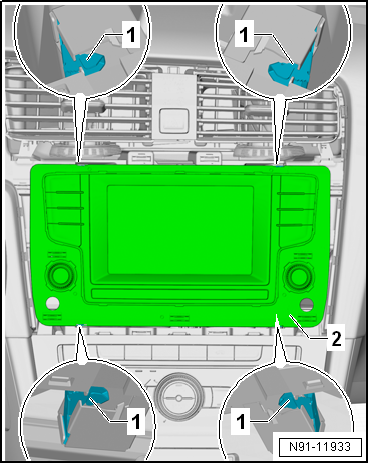
Release upper locking mechanisms -1- by pressing them in direction of travel.
Release lower locking mechanisms -1- by pressing them in direction of travel.
Remove display unit for control device of front display and information control panel -J685--2-.
Release and detach connectors.
Installing
Install in the reverse order of removal. When doing this, note the following:
Caution
Danger of damage to components.
When inserting display unit for control device of front display and information control panel -J685- do not press on the display and the control elements.
Press in display unit for control device of front display and information control panel -J685- until it engages.
?
Test yourself
A quick Volkswagen Golf quiz: every answer comes with an explanation and a link to the manual page.
 Caution