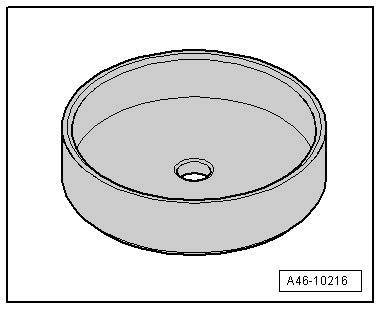
Thrust piece -T10502- for rear brake FNc-M38 (15”)
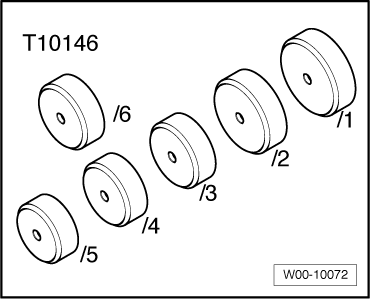
Thrust piece -T10146/5- for rear brake FNc-M42 (17”)
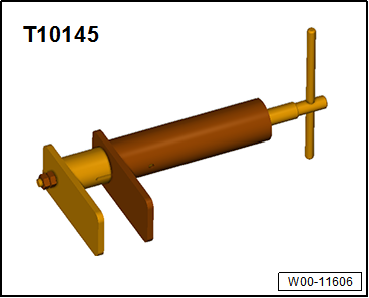
Piston resetting appliance -T 10145-
Removing
Only the protective cap is intended to be renewed.
Note The brake caliper does not need to be removed in order to renew the protective cap; do not unbolt the break hose.
Piston has been moved back.
Parking brake motor has been removed.
Risk of damage to ball screw due to removal of piston and compressor nut.Never unscrew piston and compressor nut completely.
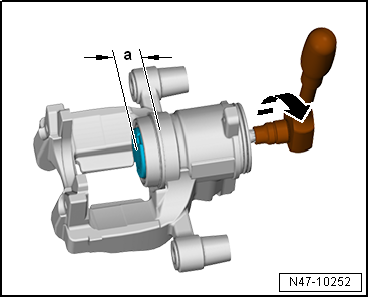
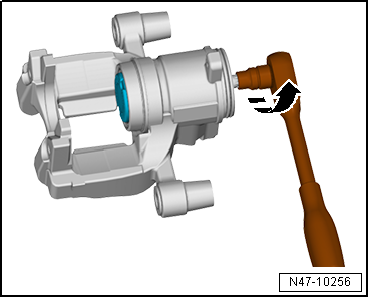
Unscrew piston (-direction of arrow-) by maximum of 20 mm (-dimension a-) using an E11 Torx socket.
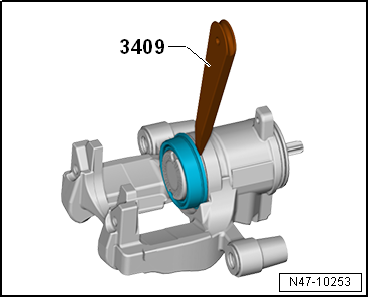
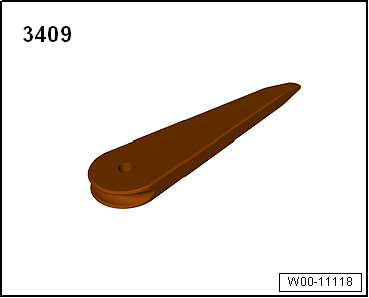
Lever protective cap off brake caliper using wedge 3409 -arrows-.
Installing
Install in reverse order of removal, observing the following:
The surfaces of the piston and brake caliper must be cleaned only with methylated spirits, and then dried.
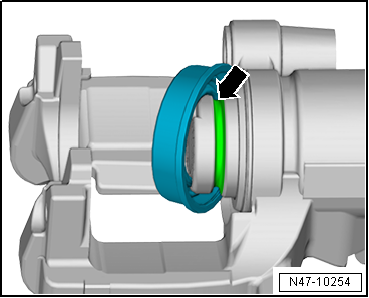
Insert protective cap into groove -arrow- in piston.
Screw piston back in (-direction of arrow-).
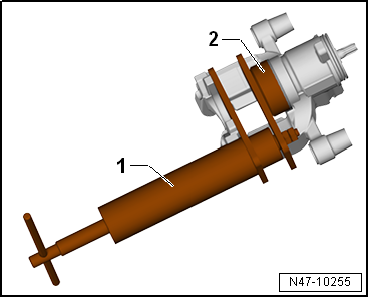
Push protective cap onto brake caliper using assembly tool -T10502--2- and piston resetting appliance -T 10145--1- in such a way that protective cap lies against brake caliper all round its circumference.
?
Test yourself
A quick Volkswagen Golf quiz: every answer comes with an explanation and a link to the manual page.
 Note The brake caliper does not need to be removed in order to renew the protective cap; do not unbolt the break hose.