Electrical System
Fiber-Optic Cable, Disconnecting from Wiring Harness Connector
In this manual: Electrical System
~1min read
Removing
InstallingInstall in reverse order of removal. Note the following
 Note Push the corrugated tube into the connector housing until it audibly engages. |
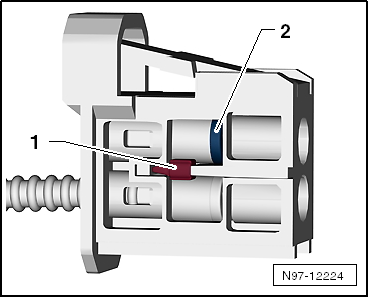 |
 Caution Install the cap on the trunk, in order to protect the fiber-optic cable from dust and dirt. Use a new housing since it is likely that the secondary lock was damaged during the removal of the fiber-optic cable.
| Cover the open connector -2- for the fiber-optic cable using the Fiber-Optic Repair Set - Connector Protective Caps -VAS6223/9--item 1-. The protective cap prevents contamination of or mechanical damage to end face of fiber optic cable which would impair signal transmission. | 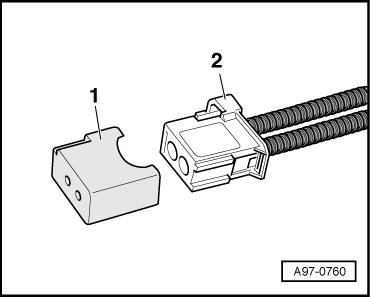 |
Test yourself
A quick Volkswagen Touran quiz: every answer comes with an explanation and a link to the manual page.
Was this page helpful?