Playing video DVDs

Play
When playing a video DVD, a disc menu may appear on the display, giving you access to extra functions and settings such as choice of subtitle and language, scene selection, etc.
Navigating in a DVD's menus
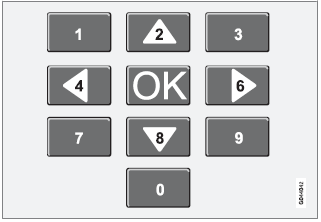
Buttons in the center console control panel, shown above, are used to navigate in a DVD's menus.
Changing chapters or titles
Turn TUNE to access the list of chapters and navigate among them (if a film is playing, it will be paused). Press OK/MENU to select a chapter and return to the normal view. If a film was playing, it will resume). Press EXIT to access the list of titles.
Turn TUNE to select a title and press OK/ MENU to confirm and return to the list of chapters.
Press EXIT to cancel and return to the normal view (without having made a selection).
Changing chapters or title
TurnTUNE to access the list of chapters and navigate in this list (the film will pause if it is currently playing). Press OK/MENU to choose a chapter and return to the normal view in the display (if a film was playing, it will resume).
Press EXIT to access the list of titles.
In the list of titles, turn TUNE to make a selection and press OK/MENU to confirm. This also returns you to the list of chapters. Press EXIT to cancel and return to the normal view (without having made a selection).
It is also possible to change chapters by pressing  on the center console control panel or on the steering wheel keypad.
Test yourself
A quick Volvo XC60 quiz: every answer comes with an explanation and a link to the manual page.