Infotainment
General information
In this manual: Infotainment
~1min read

The infotainment system displays information in four different views. The highest (most general) level is called the main view and is common to all system modes (RADIO, MEDIA, TEL). Each mode has three different basic views:
- Normal view: the default view for that particular mode
- Quick scroll view: the view displayed when TUNE is turned, which allows you to e.g., change tracks on a CD, change radio stations, etc.
- Menu view: a view for navigating and making selections in the mode's menu system.
The views in the different modes vary depending on the mode selected, the vehicle's equipment, current settings, etc.
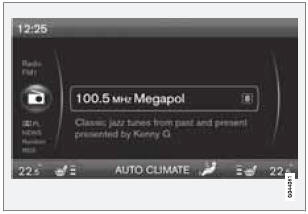
Example of RADIO mode's normal view
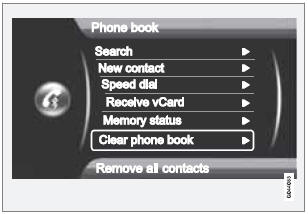
Example of Bluetooth hands-free mode's menu view
Test yourself
A quick Volvo XC60 quiz: every answer comes with an explanation and a link to the manual page.
Was this page helpful?