Audio
Sound settings
In this manual: Audio
~1min read

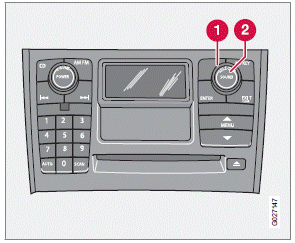
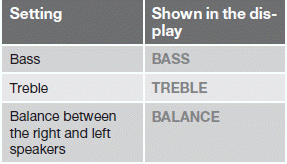
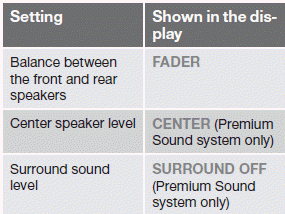
1. Press the SOUND button (2) repeatedly until you come to the setting that you wish to change. Choose BASS, TREBLE, FADER, BALANCE, , CENTER or SURROUND.
2. Use the SELECTOR control (1) to adjust the level of the setting you have selected.
The display shows a scale from min. to max. position. The center indicates the normal position.
Test yourself
A quick Volvo XC60 quiz: every answer comes with an explanation and a link to the manual page.
Was this page helpful?