Owner's Manual in the center display
A digital version of the Owner's Manual is available in the vehicle's center display 2. The digital Owner's Manual can be accessed from Top view and in certain cases, the contextual Owner's Manual can also be accessed from Top view.
2 Available in most markets.
Owner's Manual
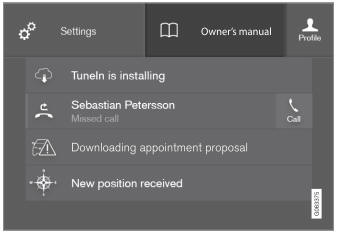
Top view with the button for the Owner's Manual.
To open the Owner's Manual, pull down Top view in the center display and tap Owner's manual.
The information in the Owner's Manual can be accessed directly via the Owner's Manual start page or via its Top menu.
Contextual Owner's Manual
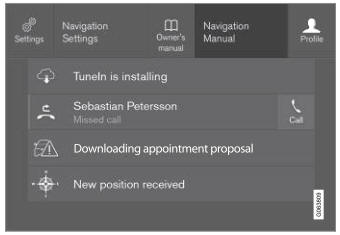
Top view with the button for the contextual Owner's Manual.
The contextual Owner's Manual is a shortcut to an article in the Owner's Manual describing the active function displayed on the screen. When a contextual Owner's Manual is available, it will be shown to the right of Owner's manual in Top view.
Tap the contextual Owner's Manual to open an article in the Owner's Manual related to the information displayed on the screen. For example, tap Navigation Manual to open an article related to navigation.
Certain applications are only available in the car. For downloaded third-party applications, this means, for example, that the applications cannot be accessed.
Related information
- Go to the Owner's Manual in the center display
- Navigating in the center display views
- Download applications
Test yourself
A quick Volvo XC90 quiz: every answer comes with an explanation and a link to the manual page.