Shifting manually (tiptronic mode)
The tiptronic mode allows the driver to shift the gears manually.
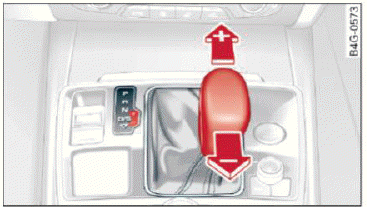
Fig. 85 Center console: shifting manually with the selector lever
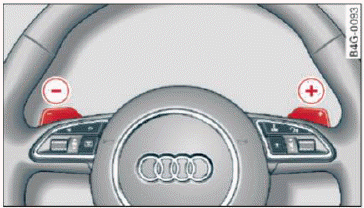
Fig. 86 Steering wheel: manual shifting with the shift paddles
Shifting with the selector lever
You can shift into tiptronic mode while stationary and while driving.
- To shift into tiptronic mode, push the selector lever from the D/S setting to the right. As soon as the transmission switches over, the M selector lever position will appear in the instrument cluster display.
- To shift up a gear, tap the selector lever forward (+)
 fig. 85.
- To shift down a gear, tap the selector lever back (-).
Shifting with the shift paddles
You can operate the shift paddles in the D/S or M selector lever positions.
- To shift up one gear, tap the shift paddle (+) fig. 86.
- To shift down one gear, tap the (-) shift paddle.
The transmission automatically shifts up or down before critical engine speed is reached.
The transmission only allows manual shifting when the engine speed is within the permitted range.
Kick-down
Kick-down enables maximum acceleration.
When you press the accelerator pedal down beyond the resistance point, the automatic transmission downshifts into a lower gear, depending on vehicle speed and engine RPM. It shifts up into the next higher gear once the maximum specified engine RPM is reached.
WARNING
Please note that the wheels could spin on slick or slippery roads when kick-down is active.