Activating driver assistance functions
Driver assistance functions can operate at the same time. Only the towing hitch approach function is activated separately from the others, with the rear view camera on.
With the rear view camera on
For principles of iDrive operation, refer to.
1. Press the controller.
2. Select the function and press the controller.
In addition, you can adjust the brightness of the camera image.
With the rear view camera off
1. Press the button .
The main menu opens.
2. Press the controller to open the menu .
3. Select "Settings" and press the controller.
4. Select "Vehicle / Tyres" and press the controller.
5. Move to the upper field. Turn the controller to select "Manoeuvring aids" and press the controller.
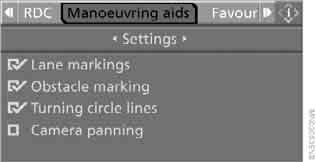
6. Select "Settings" and press the controller.
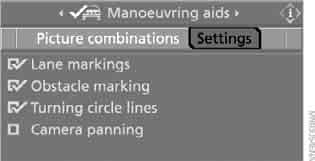
7. Select the functions and press the controller.
These settings are saved for the key currently in use.
Test yourself
A quick BMW X3 quiz: every answer comes with an explanation and a link to the manual page.