Changing sound settings
1. Press the button .
The main menu opens.
2. Press the controller to open the menu .
3. Turn the controller to select "Settings" and press the controller.
4. Select "Tone" or "Tone / Volumes" and press the controller.
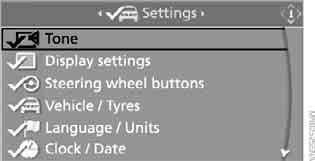
Alternatively: select "Entertainment", then "Set", then "Tone" in sequence.
Treble and bass
1. Select "Treble / Bass" and press the controller.
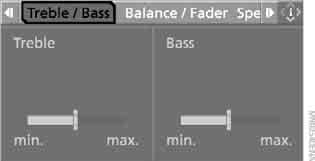
2. Move the controller left or right to select "Treble" or "Bass".
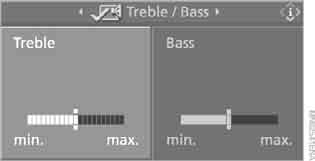
3. Turn the controller to set the required value.
Left/right and front/rear balance
Balance is adjusted in the same way as "Treble / Bass".
► "Balance": (left/right balance)
► "Fader": (front/rear balance)
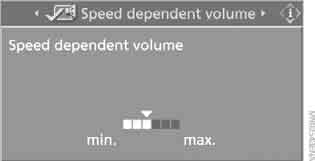
Speed-dependent volume control
With this setting, playback volume increases automatically as vehicle speed increases.
The amount of volume increase can be adjusted.
For vehicles equipped with two CD players:
1. Select "Speed dependent volume" and press the controller.
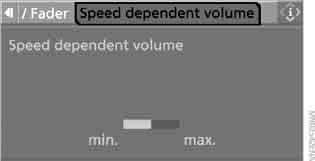
2. Turn the controller.
The setting is accepted. You can now move to another field.
HiFi Professional system
You can select the playback mode: stereo or multichannel (surround) sound.
1. Select "Surround Settings" and press the controller.

2. Select "Stereo" or "Surround".
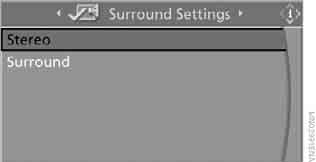
3. Press the controller.
Surround sound effect is on.
Equaliser
You can adjust individual frequency bands.
1. Select "Equaliser" and press the controller.
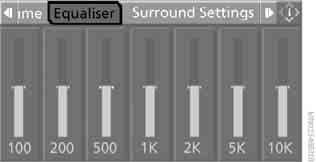
2. Move the controller left or right to select a frequency band.
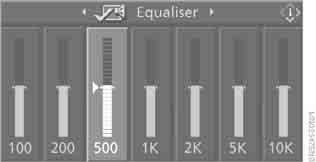
3. Turn the controller to set the required value.
Test yourself
A quick BMW X3 quiz: every answer comes with an explanation and a link to the manual page.