Frequency range selection
Some digital stations broadcast to one region, others to several regions.
Detailed information on frequency ranges is available from a BMW service station.
1. Press the button .
The main menu opens.
2. Press the controller to open the menu .
3. Turn the controller to select "Settings" and press the controller.
4. Select "Tone" and press the controller.
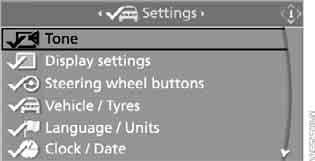
5. Move to the upper field. Turn the controller to select "DAB" and press the controller.
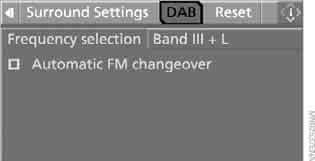
6. Select "Frequency selection" and press the controller.
7. Select the frequency range:
► "Band III + L" for regional and supra-regional stations
► "Band L" for regional stations
► "Band III" for supra-regional stations
8. Press the controller.
This setting is stored in the memory for the key currently in use.
Test yourself
A quick BMW X3 quiz: every answer comes with an explanation and a link to the manual page.