Starting route guidance
iDrive operating principles
1. Select "Navigation" and press the controller.
2. Select a destination from the destination list and press the controller, or enter a new destination.
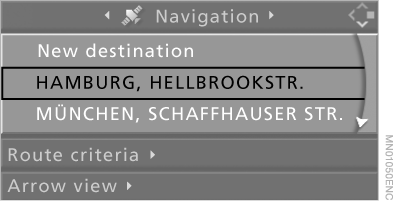
3. Select "Route guide" and press the controller.
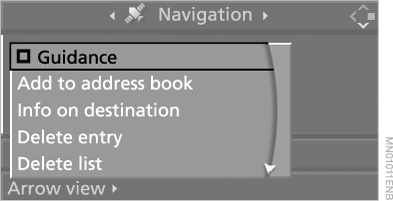
Once the route has been calculated, it is shown on the arrow display.
In the "Professional" navigation system, a map can be shown on the screen.
To start destination guidance when the arrow view or map is displayed, select and press the controller.
During route guidance, you can use iDrive to control other vehicle equipment. Before an intersection, the navigation system will give you timely notice of the turn by voice prompt and arrows.
Test yourself
A quick BMW X5 quiz: every answer comes with an explanation and a link to the manual page.