Voice Route Guidance
Switching voice output on and off
Switching voice guidance on and off during route guidance:
select and press the controller.
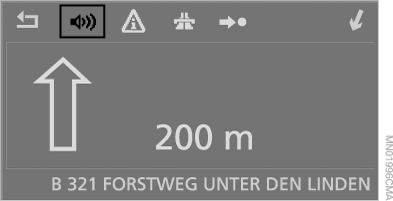
Switching voice output on and off at any time:
1. Open the home screen.
2. Press the controller to go to the menu .
3. Select "Display settings" and press the controller.
4. Select "Languages" and press the controller.
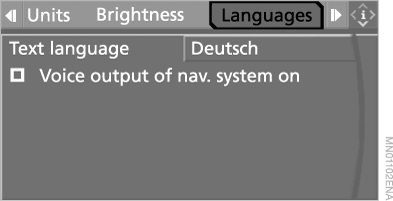
5. Select "Voice output of nav. system on" and press the controller.
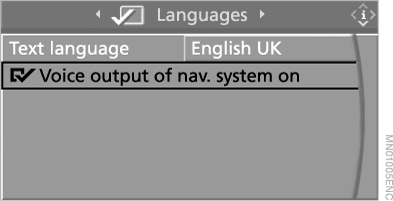
 Voice output is switched on.
This setting is stored in the memory for the key currently in use.
Repeating and interrupting announcements
The following functions can be assigned to the programmable steering wheel buttons:
► repeat announcement – briefly press the button;
► switch voice guidance on and off – press and hold the button;
► interrupt an announcement in the "Business" navigation system – press the button.
Adjusting the volume
The volume can only be adjusted during an announcement.
1. Activate repetition of the last announcement.
2. During the announcement, adjust the volume with the knob.
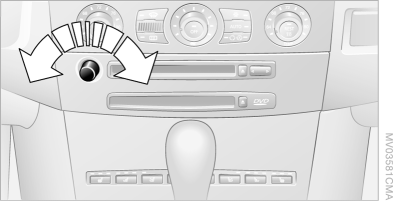
This setting does not affect the volume of the audio and video equipment.
This setting is stored in the memory for the key currently in use.
Test yourself
A quick BMW X5 quiz: every answer comes with an explanation and a link to the manual page.