Trip computer
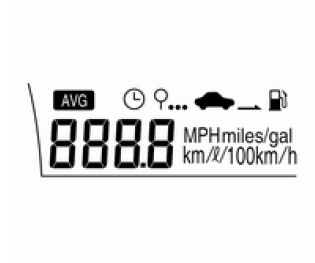
The trip computer is located in the Driver Information Center (DIC).
It provides the driver with driving-related information, such as average vehicle speed, distance to empty, average fuel economy and trip time.
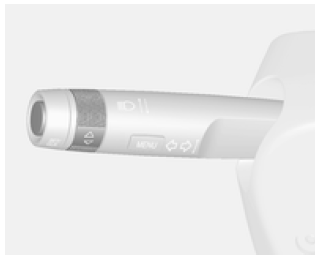
The trip computer is operated by turning the adjustment knob on the turn signal lever.
Select the upper display. It flashes when selected.
Each turn of the adjustment knob changes the display mode in the following order: Average vehicle speed → Distance to empty → Average fuel economy → Trip time → Average vehicle speed
The information shown in some modes can be reset by pressing the SET/CLR button.
Average speed
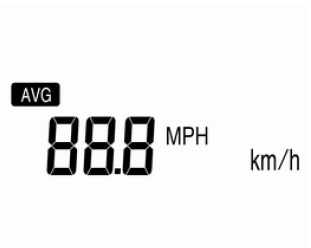
This mode shows the average speed at which the vehicle is traveling.
The average speed is calculated whenever the engine is running, even if the vehicle is stationary.
To reset the average vehicle speed, press the SET/CLR button.
Distance to empty
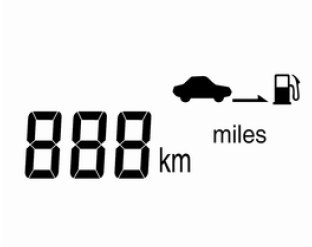
This mode shows the estimated distance that can be driven until the fuel tank is completely empty.
When refueling while the vehicle is on a slope, or when the battery is disconnected, the trip computer cannot read the actual value.
Note The trip computer is an auxiliary device and its readings may differ from actual values, depending on conditions.
The distance to empty changes depending on driving style, route and vehicle speed, because it is calculated from the changing fuel consumption.
Average fuel economy
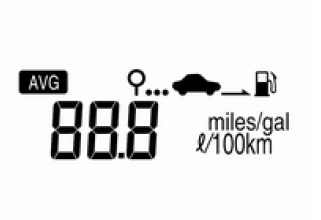
This mode shows the average fuel economy.
The average fuel economy is calculated whenever the engine is running, even if the vehicle is stationary.
To reset the average fuel economy, press the SET/CLR button.
Trip time
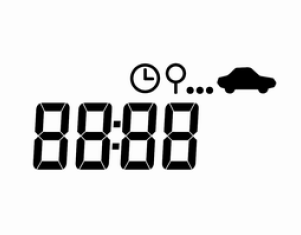
This mode shows the total travel time.
Trip time is counted from the last time this value was reset, even if the vehicle is stationary.
To reset the trip time, press the SET/CLR button.
Note The actual values of average speed, distance to empty and average fuel economy may differ from the values shown by the trip computer. This depends on road conditions, driving style and vehicle speed.
Test yourself
A quick Chevrolet Aveo quiz: every answer comes with an explanation and a link to the manual page.