Listening to a radio station or DAB station
Selecting radio or DAB mode
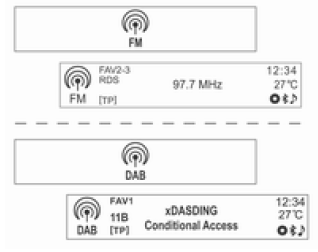
Press the RADIO BAND button to switch on FM, AM or DAB radio reception.
The previously listened radio station will be selected.
Automatic radio station search
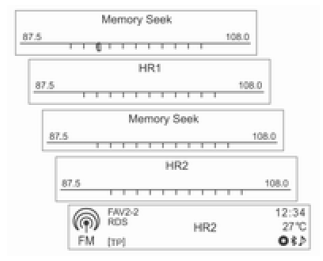
Press one of the buttons SEEK
 ,
to automatically search for available radio stations with good reception.
Automatic DAB service component search
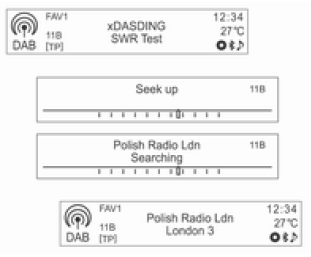
Press one of the buttons SEEK
 ,
to automatically search for available DAB service components in the current multiplex.
To go to the previous/next multiplex, press one of the buttons SEEK
 .
Radio station search
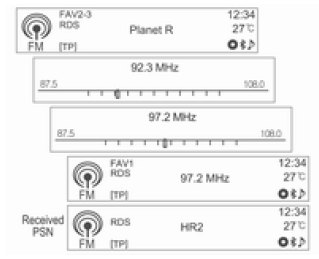
Press and hold one of the buttons SEEK
 ,
to change the frequency quickly, then release the button at the desired frequency.
DAB multiplex search
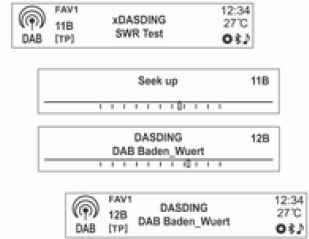
Press and hold one of the buttons SEEK
 ,
to automatically search for an available DAB service component with good reception
Switching DAB service components
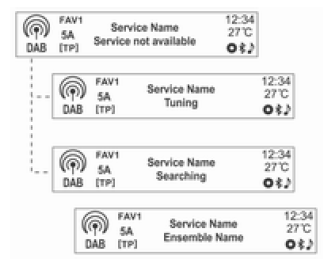
(DAB-DAB on / DAB-FM off)
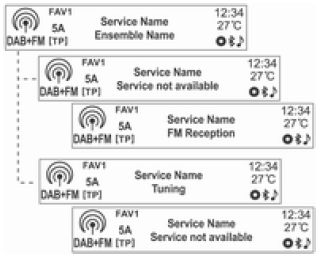
(DAB-DAB off / DAB-FM on)
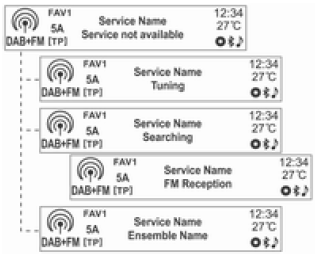
(DAB-DAB on / DAB-FM on)
If DAB-FM Automatic Switching is switched on and the DAB signal is weak, the audio navigation system automatically switches to receiving the linked FM service component (see Settings → Radio Settings → DAB Settings → DAB-FM Automatic Switching).
Manual radio station tuning:
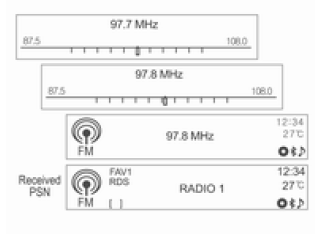
Turn the MENU-TUNE knob to manually find the desired radio station frequency.
Manual DAB station tuning
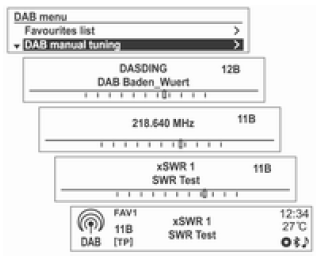
In DAB radio mode, press the MENU-TUNE button to display the DAB Menu.
Turn the MENU-TUNE knob to select Manual DAB Station Tuning, then press the MENU-TUNE button.
Turn the MENU-TUNE knob to manually find the desired station frequency, then press the MENU-TUNE button.
Using the DAB Station List
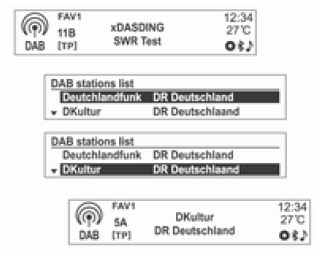
Turn the MENU-TUNE knob to display the DAB Station List.
- Information about DAB Station Lists will be displayed.
- If the DAB Station List is empty, the DAB Station List update starts automatically.
Turn the MENU-TUNE knob to select the desired station list, then press the MENU-TUNE button to switch on reception of the corresponding radio station.
Displaying information broadcast by DAB stations
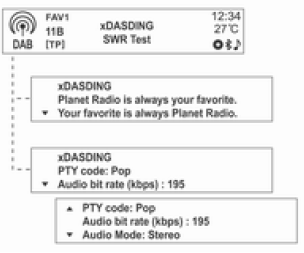
Press the INFO button [INFO] to select the desired display mode for information broadcast by DAB stations.
Information item number 1 for the selected FAV set of stored (favourite) stations will be displayed.
Test yourself
A quick Chevrolet Aveo quiz: every answer comes with an explanation and a link to the manual page.